

Works Uploading and Publishing
 遠端管理
遠端管理
各組將作品、範本檔、目錄/縮圖、期末報告(管理3表)、心得分享等,存入自己 /刊名資料夾/ 中,規格不符者,將被退件。
刊名應為英文字。
網路版目錄: /GCot年度/刊名
數位版目錄: /GCotdtp年度/刊名
使用 Expression Web 發布網站/電子書
Website Template 修改範本網站名稱
發布前修改範本網站名稱為個人化名稱,不可使用「複製-另存」法。
Do not apply 'Copy-Paste' to use you web template, since it may lose web information.
The correct way is as follows:
設定網站個人化名稱
〉網站
〉網站設定
〉網站名稱
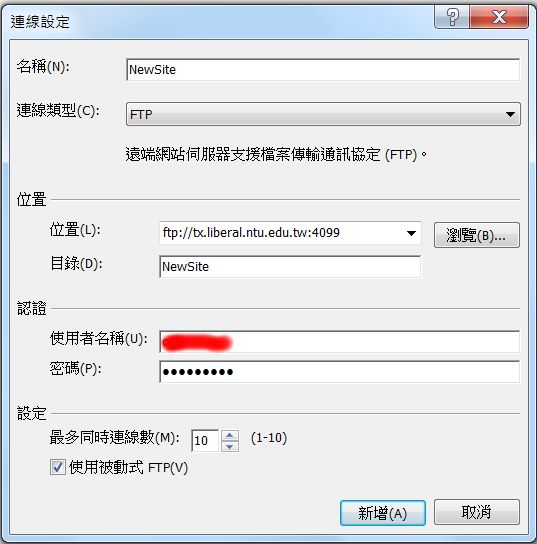
發布設定
〉網站
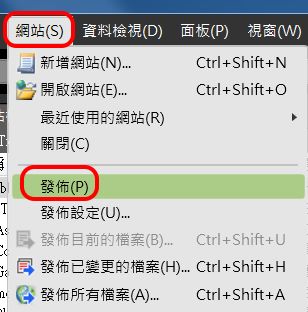
〉新增

〉設定
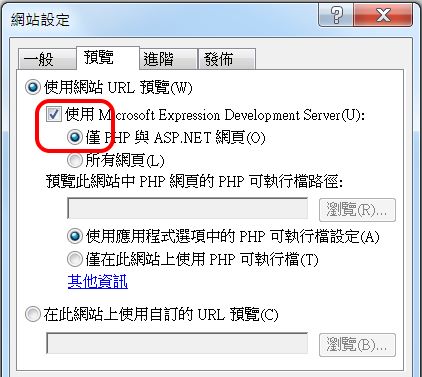
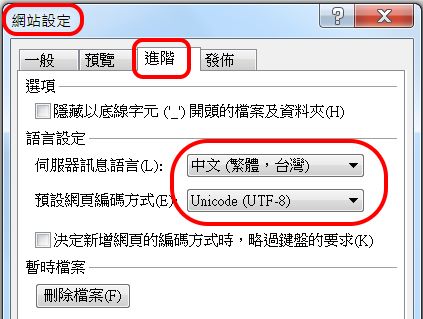
發布前檢查:
〉發布
〉建立
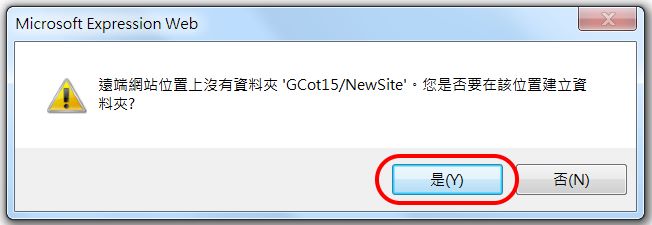
選擇檔案,進行發行。
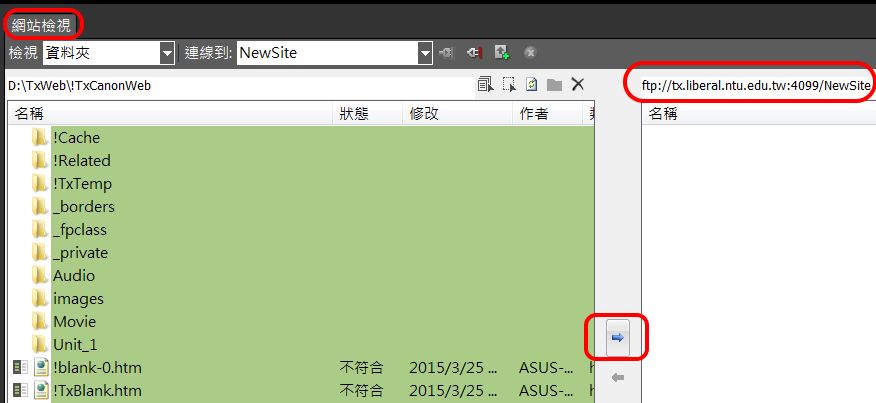
檢查發布結果
如以下網址
https://seantxwu.pages.dev/TxCG/GCot**/NewSite/
**表示「年度」。
更新發布
更新後發布,可善用:
〉網站
〉將已變更的檔案發布
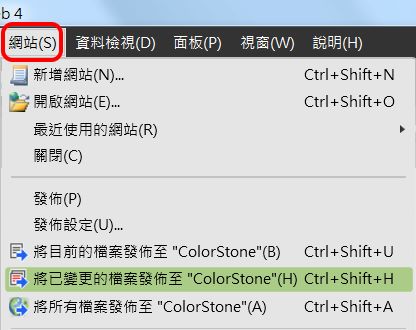
管理站發布
編者貢獻: Credit 行政編輯(班長)榮譽
bottom.htm 按右鍵下載,存入 /Issue 資料夾中。
增加校區行政編輯名
連結至分版目錄之年度書籤
WebList.htm#年度
使用 SharePoint 發布網站
〉File
〉Publish Web
Then find out a place to 'publish (as to copy)' and use your web template.
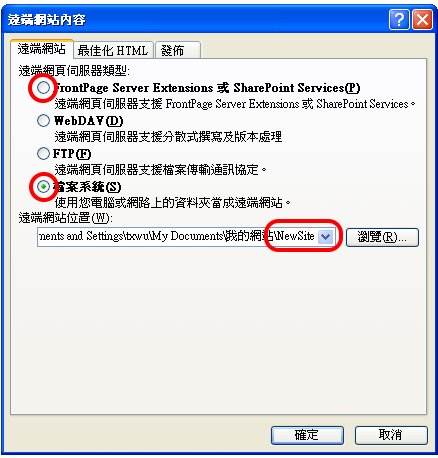
發布到遠端伺服器
>FP or SP (http)
Publishing to remote server or a local virtual site.
If the new site is not a web yet, you have to add a new blank web as the target before to publish it. You may use either FP-or-SP or IIS to do it. However, there must be IIS on the target host.
發布到本機
>File System
Publishing (as to copy) to local physical place as 'NewFolder'. You want to do it when there is no IIS on the target host.
Same, if the target is not existing yet, you have to open a new one before to publish it.
使用 FrontPage 2000 發布
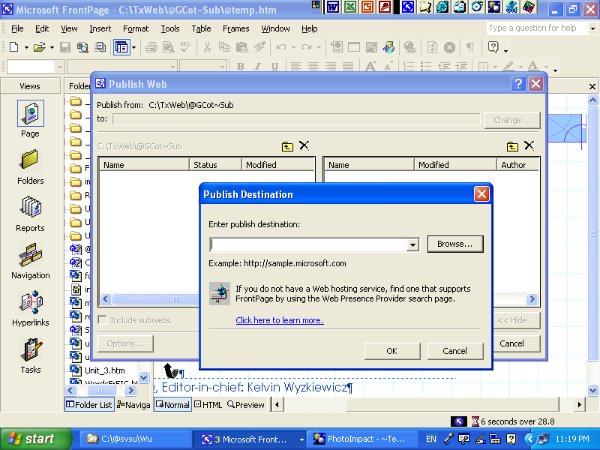
Explorer- Tools- Folders- View
If the computer of your lab does not allow you to use 'Publish'. You have to revel all hidden system files before use copy- paste function to spread your website template.
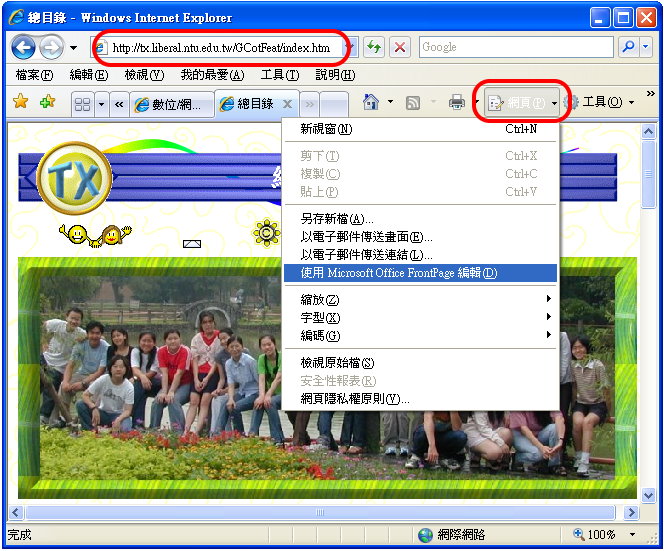
線上遠端編輯發布
https://seantxwu.pages.dev/TxCG/UniGCotFeat/index.htm
Go to a dedicated management site that is invisible to the public.
>Pages
>Choose editor (now is SharePoint)
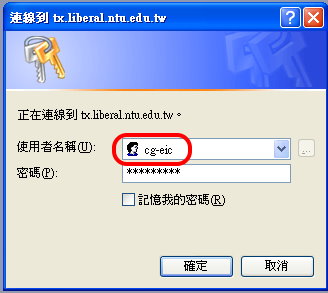
Enter ID and PW.
Right click on the photo to set up link. Such as:
https://seantxwu.pages.dev/TxCG/GCotdtpYear/ProjectFolder/Title.pdf
for DTP, or the following for Web.
https://seantxwu.pages.dev/TxCG/GCotYear/ProjectFolder/Title.htm
FTP Publish 發布
在本機完成編輯後,可在SP內以FTP 發布。


