

數位視覺焦點設計
封面‧首頁實作
Visual Focus Design Cover
and Homepage Production
 數位出版設計:封面與後製篇-知識美學/數位美學之建構方法
封面主圖實作 Cover Picture Design
習作可以使用自己的預訂作品,或下載練習教材。
Use "Print Screen" skill to grab the pictures.
>Edit >Spin
The 'story' and 'energy' had been decided when it was taken.
Examine the 'completion' and consider the post-production.
Open the picture file and estimate the size of the picture. You may reduce it later, however, you do not want to enlarge the final picture again.
鍵盤〈Print Scrn〉硬體複製的應用
使用鍵盤〈Print Scrn〉硬體複製螢幕上的圖片。
以 PhotoImpact 擷取:
〉編輯
〉貼上
〉貼成新影象
 Photoshop 與 PhotoImpact 比較
Photoshop 為了達成許多細膩、也可以說瑣碎的設定,許多應用並不直覺,增加許多步驟。
 Photoshop
如何使用「剪貼簿」
Photoshop
如何使用「剪貼簿」
〈Print Scrn〉硬體複製,其實就是應用微軟作業系統的「剪貼簿」功能。
但與 PhotoImpact 同級、且近似的 PhotoShop 在此項上卻有障礙。
如果預設錯誤會發現 Photoshop 無法將系統剪貼簿的東西貼入其中,有時候又突然可以,因為 Photoshop 有個內建的剪貼簿,所以容易發生混淆。
正確設定如下:
〉編輯
〉偏好設定
〉一般
勾選〉轉存剪貼簿
Photoshop〈Print Scrn〉硬體複製的程序
〉檔案
〉開新檔案
預試集〉剪貼簿;注意:預設為〈自訂〉
轉移視窗:〈Print Scrn〉
回 Photoshop
<Ctrl> + V
掃描器的應用
Photoshop 與 PhotoImpact 比較
Photoshop 輸入位置在:
〉檔案
〉讀入
但預設沒有掃描器,必須至 Photoshop 網站下載 Twin 掃描驅動程式。
設定影象規格
設定影象規格應注意的項目如下。
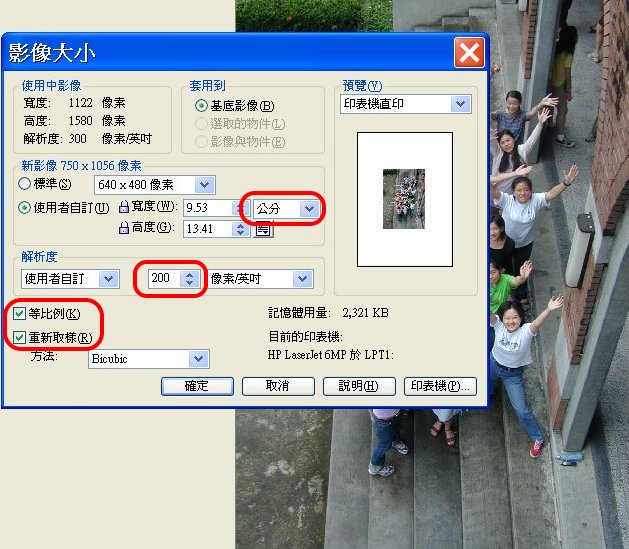
基底影象與物件
影象分作基底影象與物件。
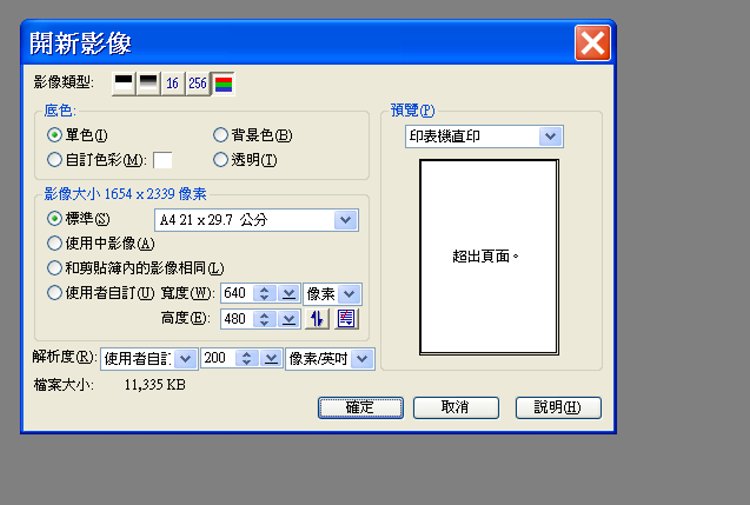
Open a new file with A4 size and 200p resolution as the background.
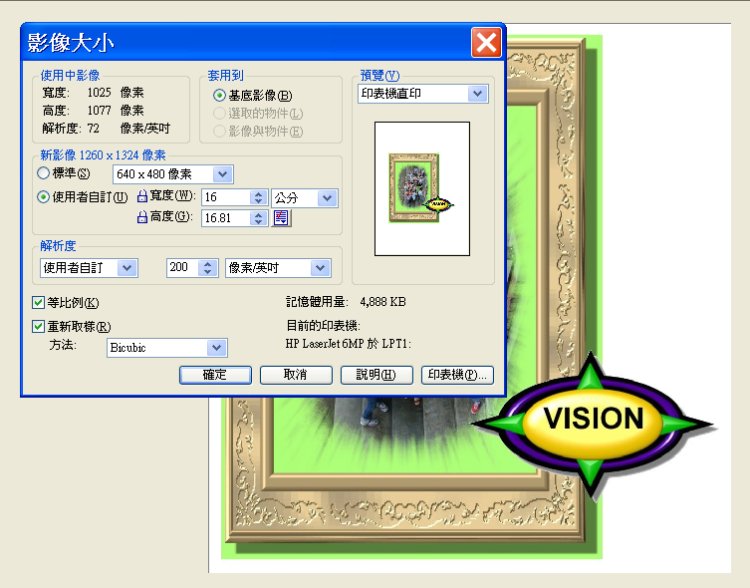
將各個物件佈局到基底影象上。
Merge objects to the background.
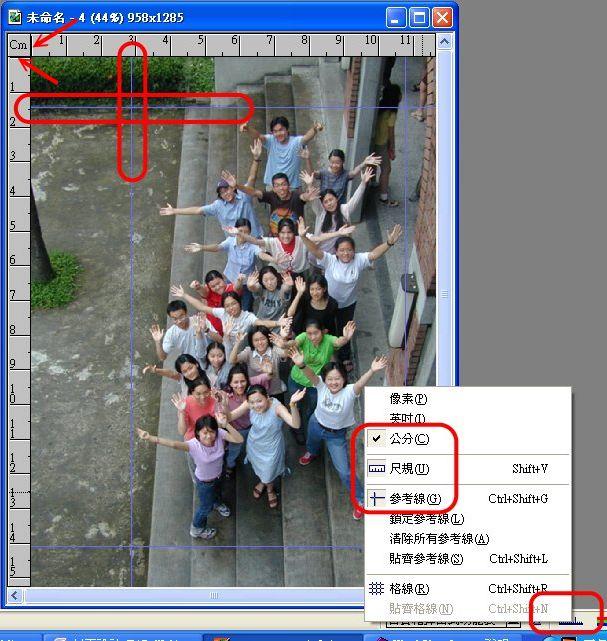
尺規/單位應用
Ruler 尺規
Use ruler and "reference lines" to determine the center area then to adjust the space.
Click the top-left corner of the ruler to pull out reference lines.
Leave a balanced frame of the center area for further processing.
在上方尺規任意空白處可點、拖平行參考線。左方可點、拖垂直參考線
使用「選取工具」可移動參考線,或將其拖到圖外清除。
〉單位
提供多項相關功能。
圖片分割:剪裁工具應用
Resize the borders and output it to a .jpg file.
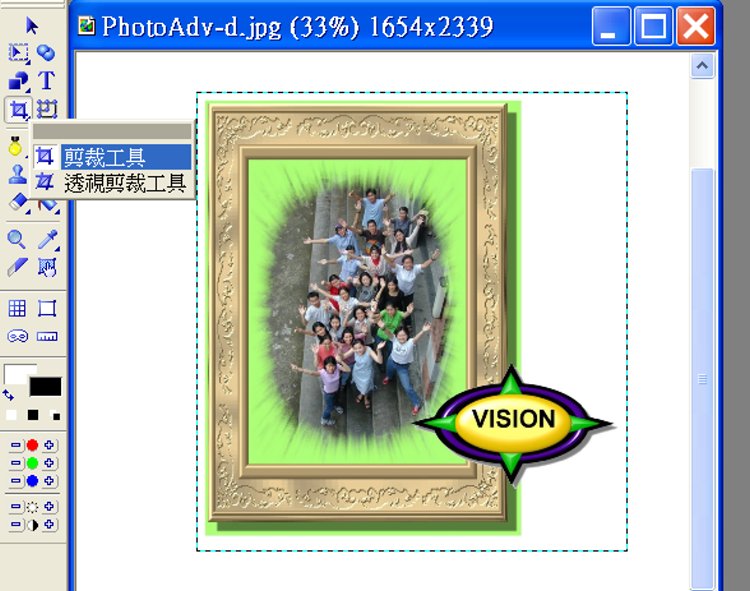
Photoshop
與 PhotoImpact 比較
Photoshop 尺寸
影象>版面尺寸
相當於 PhotoImpact 的基底影象,如要精準尺寸,比「裁切」好。
影象>影象尺寸
相當於 PhotoImpact 的物件尺寸。
Photoshop 尺規
「尺標」工具上方選項列提供「拉直」,可迅速將影像對齊水平線、建築物牆面以及其他關鍵元素。
選取「尺標」工具 。(在「滴管」工具組)
出現游標,拉出角度直線,按一下選項列中的「拉直」。影象會呈對稱拉直。
專業影象軟體
識別標幟系統:標誌(標準字+標準圖案)、橫幅...
PhotoImpact 參考推薦外站:
pgmejo3:Youtube 示範,講解清晰(,唯較不重視主題組織程序)。
yangbib:主題豐富多元(,唯解說較不清楚、無關敘述太多,缺乏組織程序)。


