

UI, Files, Length, Editing
視訊後製作程序1:介面.檔案.長度.剪接
Movie Maker 2.1 實作
 Power Director 版
Movie Maker
2012版
Power Director 版
Movie Maker
2012版
I used to use Premier (in USA) and Power Director (in Taiwan) until the launch of free Movie Maker that is more convenient for teaching and produce .wmv files.
There used to be also advantages of .swf and .flv files. Unfortunately, all those file formats are going to be expired.
However, you may use converters to render other files.
視訊後製作的程序包括:匯入原始檔、決定視訊長度、初剪、細剪、轉場設計、特效設計、片頭‧片尾‧字幕、插入播放器。
本項習題是一個「家庭 MV」小朋友成長記錄片的後製。
Demo: Dancing Swan
Download:
media files for practice
Download Movie Maker 下載 Movie Maker Windows XP 版 2.1 (V5.1):(1)不是獨立檔案,而包裝在Windows XP Service Pack 3 (SP3)內,如果已啟用Windows Update「自動更新」,則已自動安裝完成,點〈開始〉〈所有程式〉即可看到。(2)如果尚未啟用Windows
Update,請看這裡,予以啟用。Windows
其他版本:下載
Movie Maker Windows XP 版 2.1 (V5.1):(1)不是獨立檔案,而包裝在Windows XP Service Pack 3 (SP3)內,如果已啟用Windows Update「自動更新」,則已自動安裝完成,點〈開始〉〈所有程式〉即可看到。(2)如果尚未啟用Windows
Update,請看這裡,予以啟用。Windows
其他版本:下載
Movie Maker |
Movie Maker 應用實作
Import 匯入原始檔
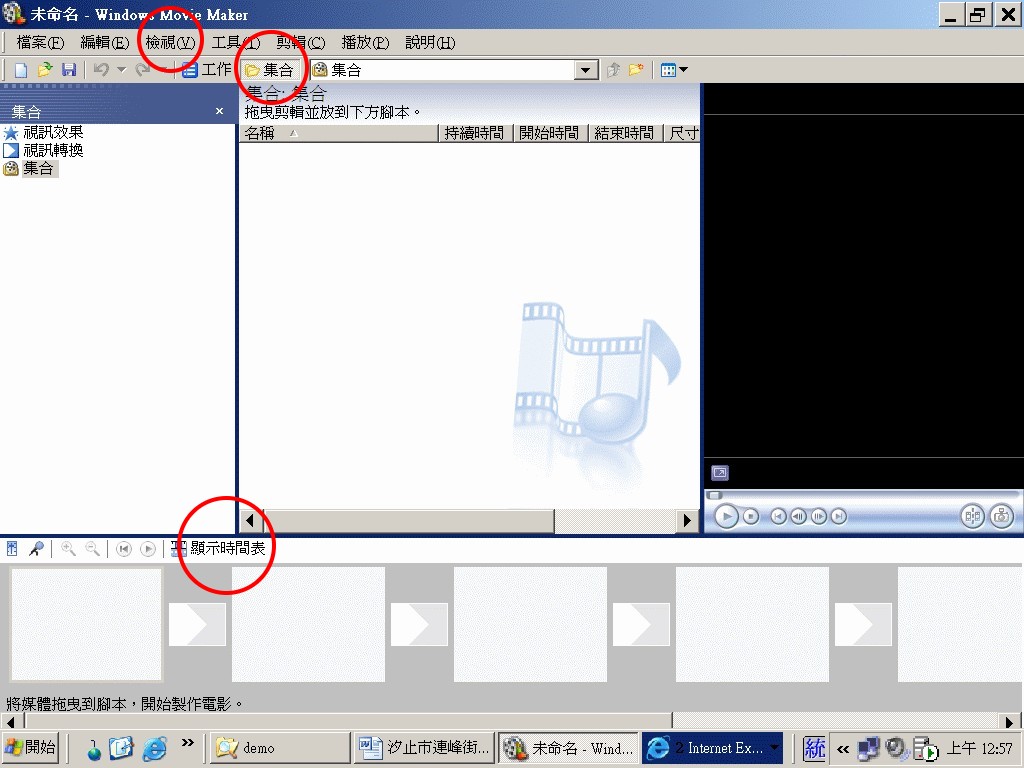
Begin with the Set View.
In the bottom area of the window, you may click for time-and-tracks or scripts.
剪接區預設為「顯示腳本」,但這個檢視的工作較不便。故宜按「顯示時間表」,出現時間表檢視,與所有影音軌道。
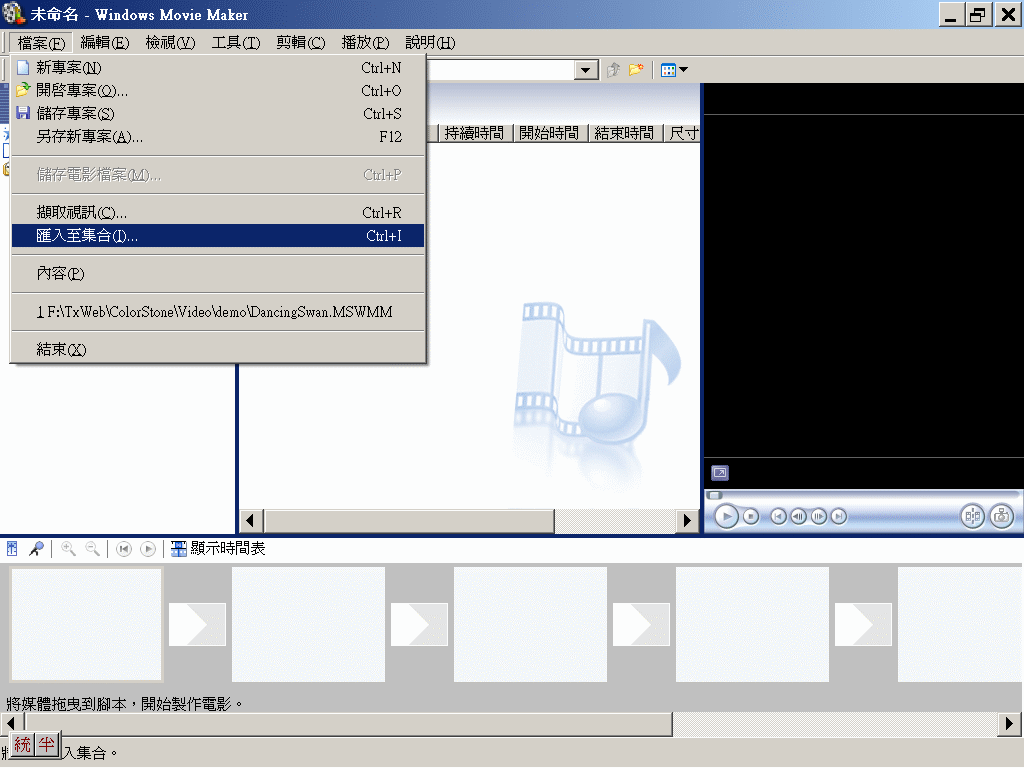
Import media files.
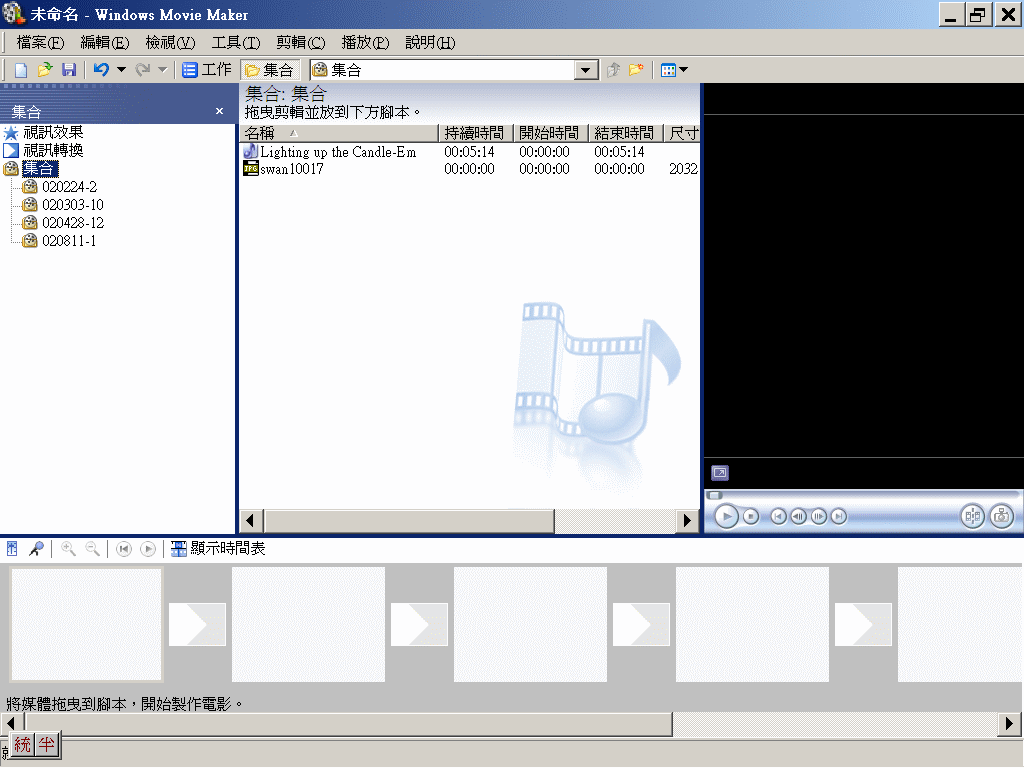
Pictures and audio files will be under root set while all video clips will become subsets.
Subsets will appear in the middle window and the player will next to it.
影象、圖片、動畫、音樂、音效檔,會直接放在「集合」下,但所有視訊、影片檔,會以「子集合」方式存放,目的是未來若剪開成片段後,便於管理。
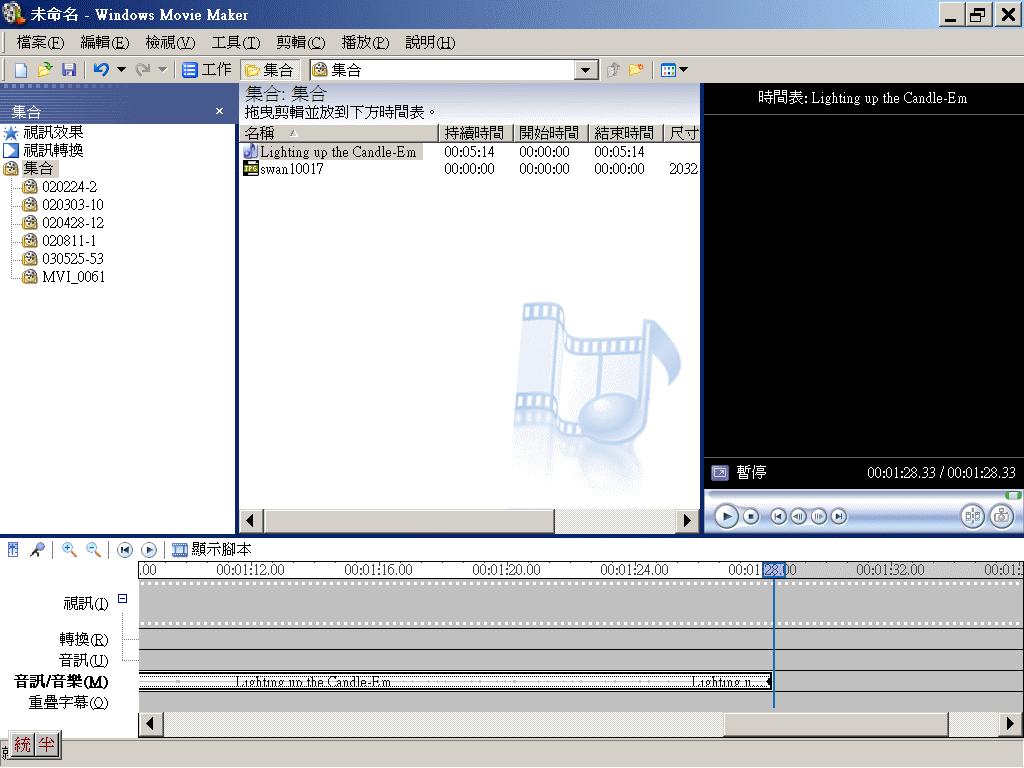
Length 如何決定視訊長度
You have to synchronize the length of all video clips and audio files.
For a short footage, you may decide the length by the audio in order to simplify your work.
For example, the length of this exercise is good for 1:28 min.
因為是 MV,所以以音樂的合適段落長度,作為視訊長度,此處選擇1分28秒,鼓聲高潮後的短樂句結尾,形成終止之感。
使用放大鏡調整工作區大小。
使用縮排點調整音訊(影片亦同)長度,如果確定多餘部分不會再使用,預覽區下方有剪接鈕,可剪掉以減少檔案空間,增加傳輸效率。
Editing 剪接
You have 2 ways to cut the clip, if it is too long. It is a physical and permanent cut with the button of the player, as red-circled. You are also able to have virtual cuts in the editing track and keep the original clips.
Drag the clips (subsets) to the video track.
An opening may take 15 sec for a short footage. You may want more than 1 script for the opening to improve the feeling of motion.
視訊的實體剪和虛擬剪
實體剪:在預視螢幕中按「剪輯」鈕,可自所見畫面剪為2段,前段會以原檔名存在「子集合」中,後段則會自動產生新檔名,也新增入「子集合」中。實體剪,存檔後無法復原。
虛擬剪:在視訊區中,可以調整檔案左右邊界方式,剪取影片的始末畫面。其實只是調整顯示的部分,並沒有真正剪掉。
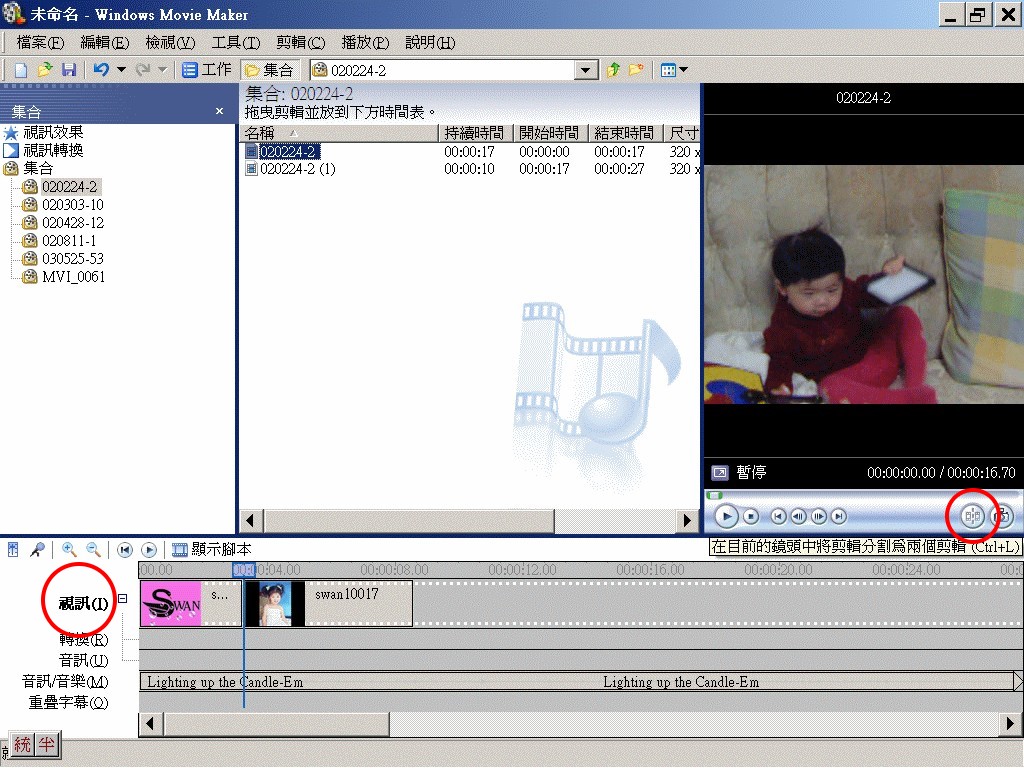
The original total length of all clips should longer than the final length for the reason to manage the transitions between clips.
視訊的初剪
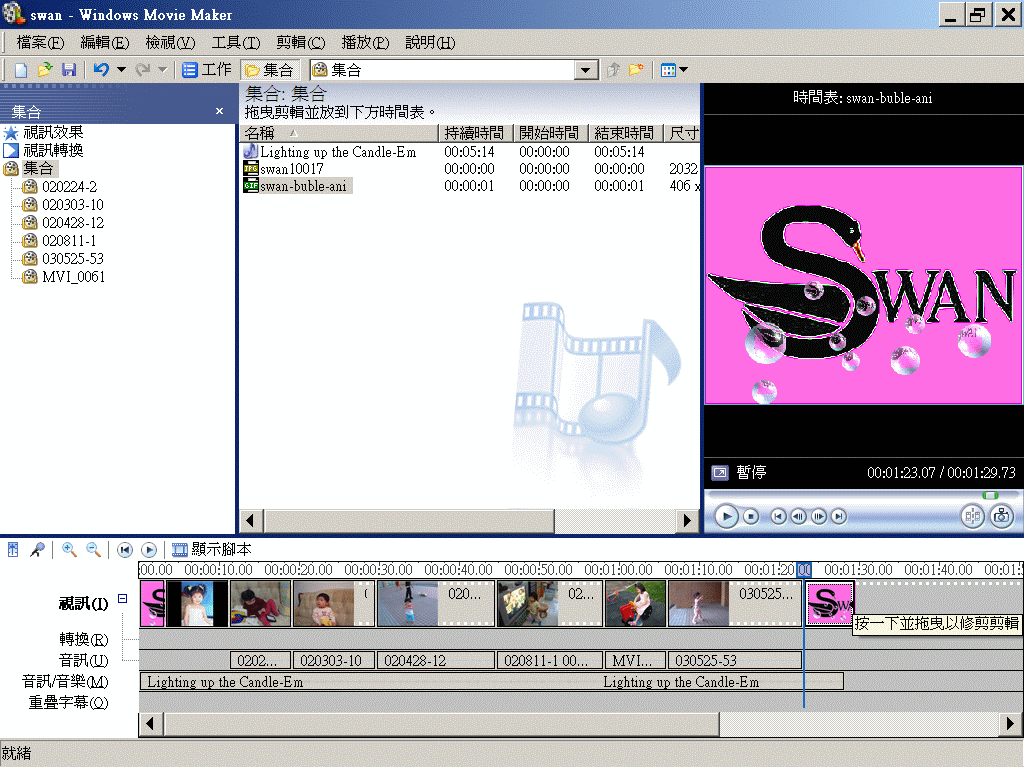
「初剪」相當於「編排」,將片頭、場次依序加入,並分派大致時間。
本例片頭有2個分鏡,占約10秒。
本片定位是家庭級音樂記錄片,所以各鏡頭約取平均時段,約各15秒左右。
「初剪」時未加入轉場,所以此時總長度應比預訂完成片較長。
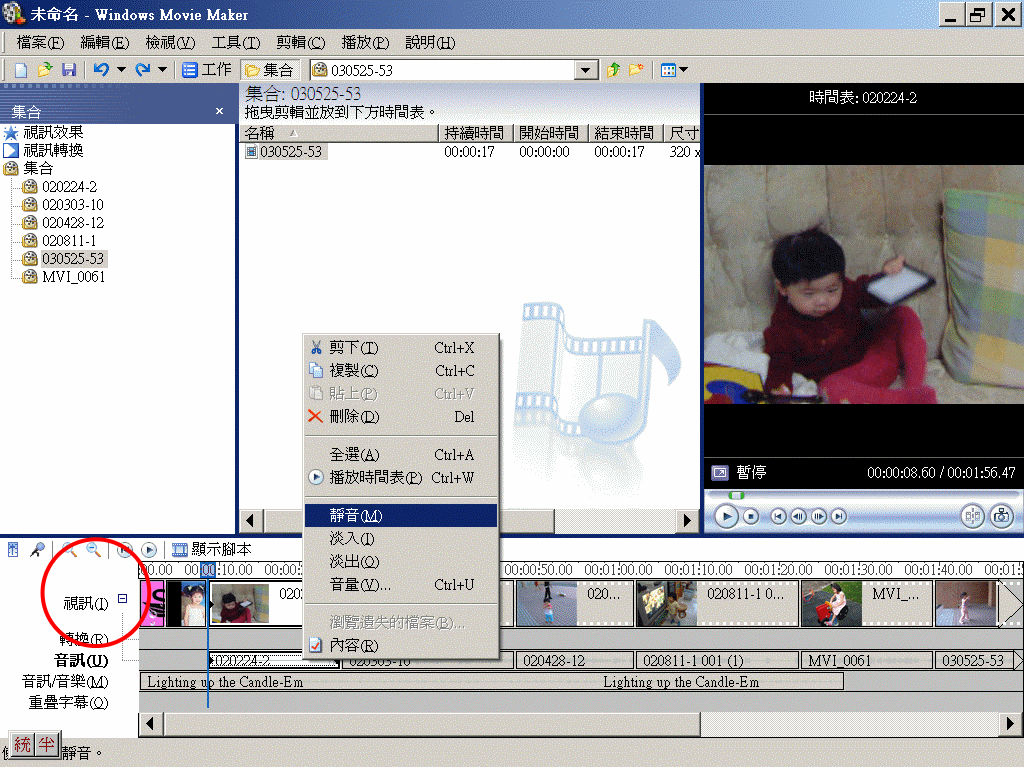
Right click and turn off the audio track of the original video clips, if it is necessary.
注意:將「視訊」旁之「+」號展開,才會看到DV之音軌。按右鍵可轉為靜音,不過不能刪除。若重新配音,必須貼到獨立音軌上。
Transitions, Special Effects, Title, Subtitle, Billing
轉場.特效.片頭.片尾.字幕


