

Transitions, Special Effects,
Title, Subtitle
視訊後製作程序2:轉場.特效.片頭.片尾.字幕
Movie Maker 2.1 實作
 Power Director 版
Movie Maker
2012版
Power Director 版
Movie Maker
2012版
I used to use Premier (in USA) and Power Director (in Taiwan) until the launch of free Movie Maker that is more convenient for teaching and produce popular .wmv files.
There are also advantages of .swf and .flv files. Unfortunately, there is no free software for students yet.
However, you may use converters to render other files.
Previous version for Power Director and Movie Maker 2.0
視訊後製作的程序包括:匯入原始檔、決定視訊長度、剪接、轉場設計、特效設計、片頭‧片尾‧字幕、插入播放器。
本項習題是一個「家庭 MV」小朋友成長記錄片的後製。
Demo: Dancing Swan
Download:
media files for practice
Version for Movie Maker 2.1 (V5.1)
Movie Maker 應用實作
UI,
Files, Length, Editing 介面.檔案.決定長度.剪接編輯
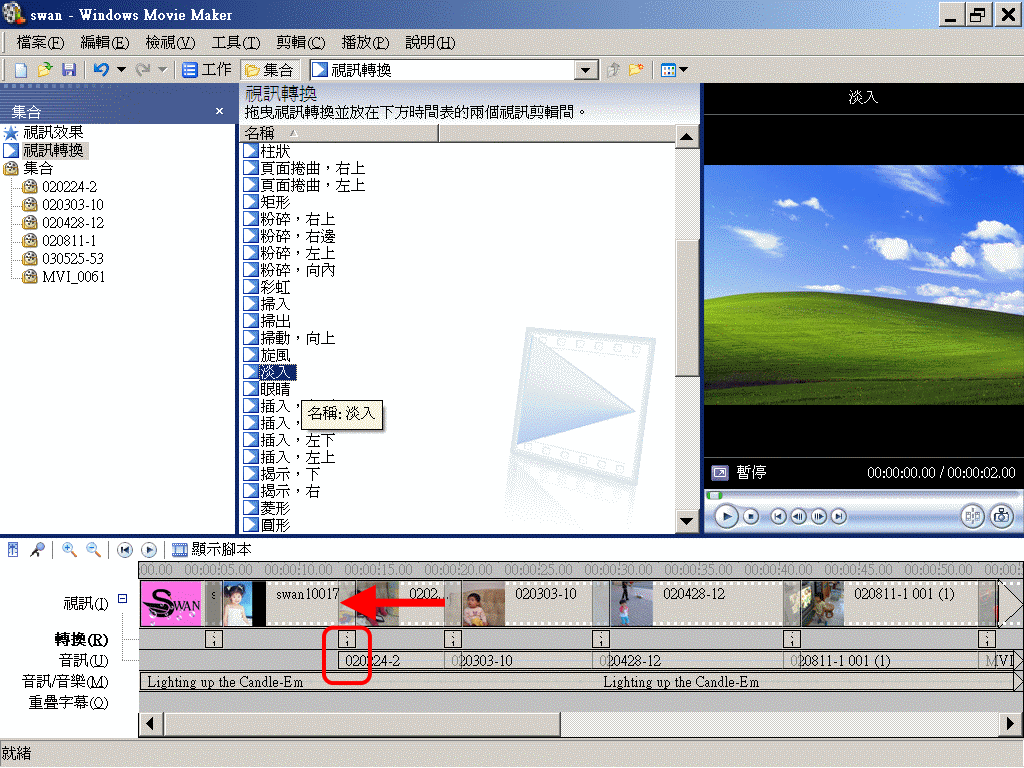
Transitions 轉場設計
Resolving is always the best transition for general video.
將轉場方式拖入「轉換」軌,放在2段影片的中間,再將「視訊」軌中的後段影片向前推,形成重疊,調整重疊的部分就是轉場的長度。
常用轉場就是:淡入、溶解、擦去。
花式轉場要有合理性,譬如下一場的主角如果在正中央、又屬可愛鏡頭,那麼心狀展開,就有趣味效果。
Special Effects 特效設計
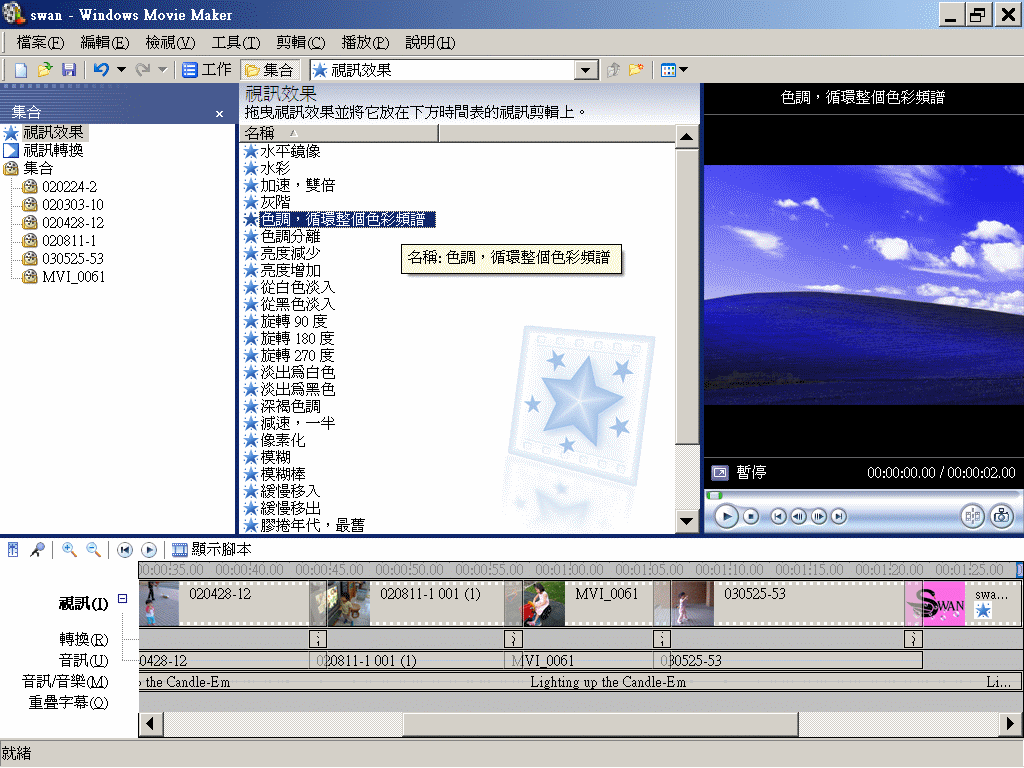
Do not use too many special effects. This is an example for ending.
特效之所以為「特」,就要少用、慎用。這項 MV 因結尾在鼓聲高潮,從影音配合角度設計,所以只在尾聲作一次特效。
Title, Subtitle, Billing 殺青:片頭‧片尾‧字幕
Deliberate your title screen to avoid cliché.
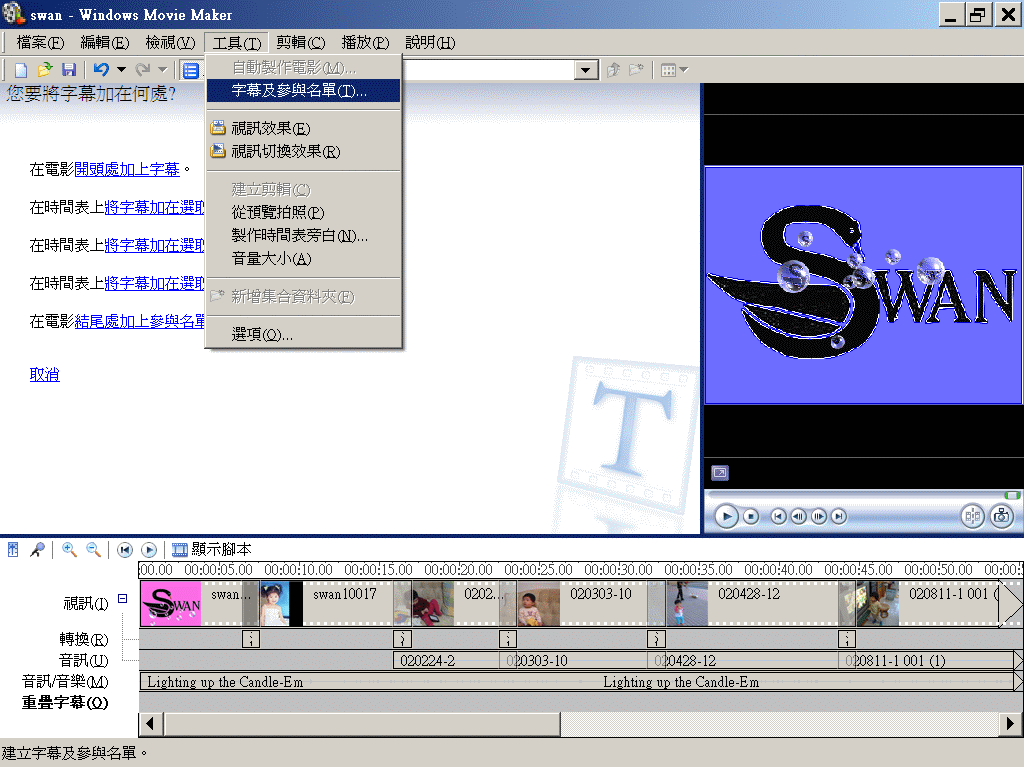
Choose 'Put subtitles on the selected clips', if you have designed an opening.
選擇〈將字幕加在選取的剪輯〉。
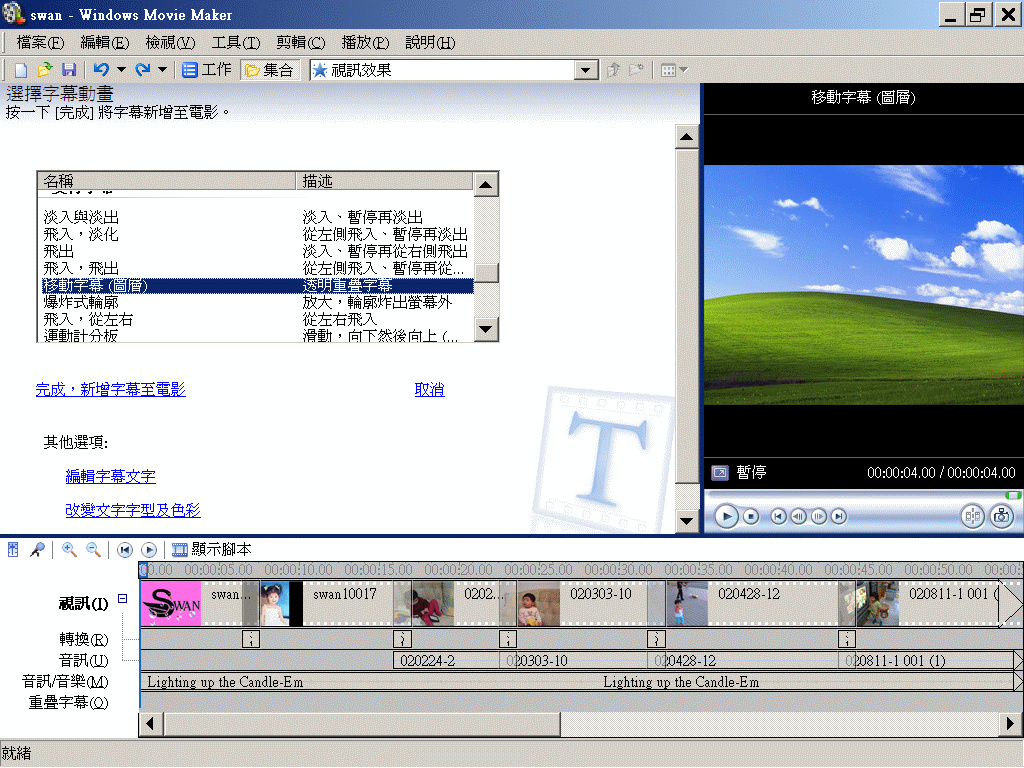
Choose the appearance and performance of titles.
片頭劇名應予強調,所以可用花體字,並配合字幕動畫。這裡考慮劇情為柔美溫馨、表現方式為反白(即透明效果)-應用粗體,所以選擇 Bauhaus。
Adjust the position of subtitles.
可以事先用時間鈕設定字幕出現的位置,事後在「重疊字幕」軌調整位置與長度也可以。
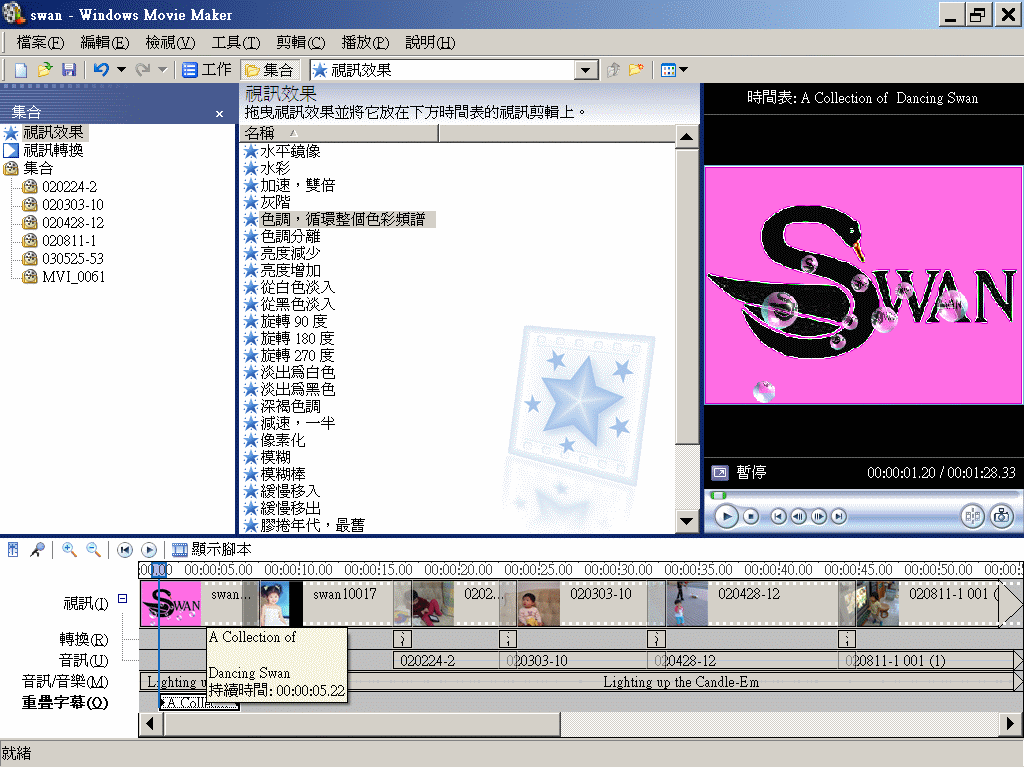
Add more subtitles.
The second subtitles do not want to be too fancy.
Consider the coherence of color system, pink is good for this exercise.
 If your work is a drama, you may consider more sophisticated
design for
Billing.
If your work is a drama, you may consider more sophisticated
design for
Billing.
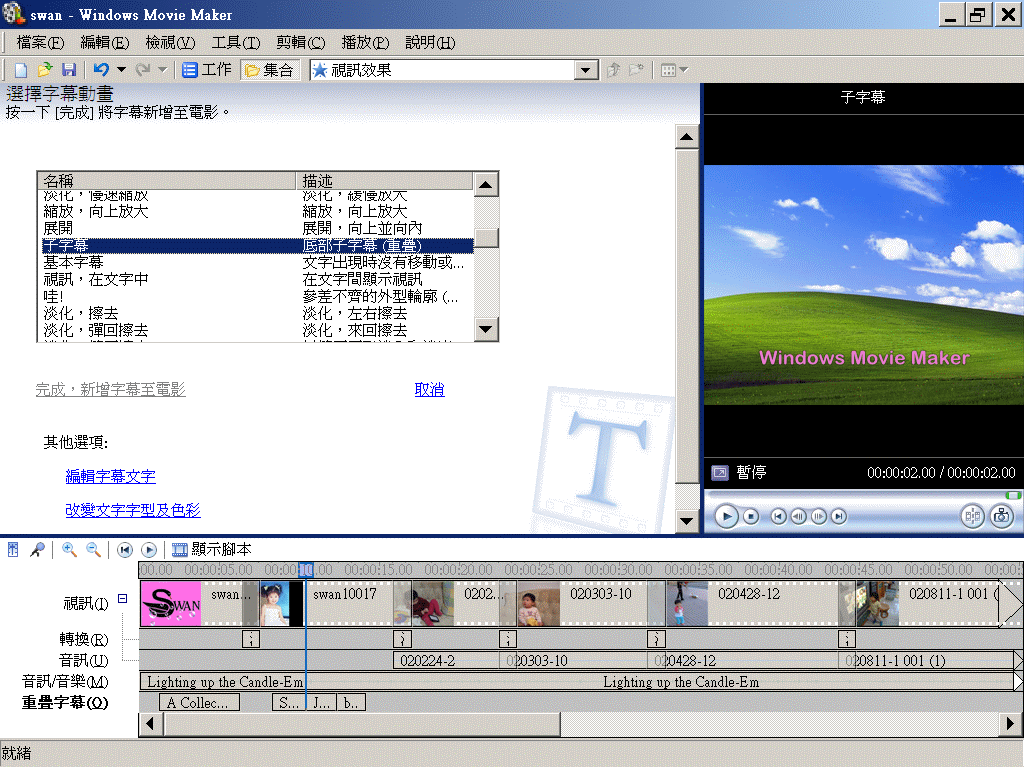
Save the project to movie file.
存檔時通常存2個檔,專案檔-以備日後有必要時編修,與 WMV檔。
 Interactive
Web Video 網站互動視訊
Interactive
Web Video 網站互動視訊
這是視訊結合影象地圖、超連結功能的應用。
http://www.selfcontrolfreak.com/


