

微軟網站機器人與微軟表現方式
MS Webbots and Behaviors
 Web Design:
Automations - Epistemological/Digital Aesthetics
- Formation Methodology
Web Design:
Automations - Epistemological/Digital Aesthetics
- Formation Methodology
網站/網頁設計:自動化實作-知識美學/數位美學之建構方法
微軟提供一系列微軟網站設計元件(MS Web Components),均以〈webbot〉微軟網站機器人為標籤名稱。
另有一組「Behavior 微軟表現方式」命令,是微軟版的Java命令。
MS Web Components
微軟網站設計元件
Those components are defined by "webbot" in htm.
Common Contents 共用內容
共用內容是指在各網頁均可使用一致的物件,目的是只改共用物件,就可同時更改各頁面。
共用網頁:效果比 <iframe>好
在共用物件中,最常用的是「共用網頁」。唯 Expression Web 和 Sharepoint 使用方法不同。
Expression Web
Expression Web 在程式碼內,加入以下微軟機器人:
<!--webbot bot="Include" U-Include="Path 共用網頁路徑" TAG="BODY" -->
 上傳前,EW
會將「共用網頁」整合在網頁中上傳,故無須另傳「共用網頁」與其專門目錄 !Related
上傳前,EW
會將「共用網頁」整合在網頁中上傳,故無須另傳「共用網頁」與其專門目錄 !Related
 實作範例
實作範例
由於Html5 的內置框架尚未被所有瀏覽器支援,採用共用網頁為簡易又實用的方法。
共用導覽頁
共用導覽頁,如:
!Related/Navi_left.htm
!TxTemp/Navi_css.htm
同類主題設計
同類主題是放「虛擬導覽」第二層以下的子導覽,通常採用簡單視覺的共用網頁。
如果不作子導覽,也可以設計為共用同類主題頁,如:
!Related/Related.htm
子站著作權
子站著作權宣告,如:
!Related/copyrights.htm
使用者自訂區
右欄使用者自訂區規畫,如:
視結構(之空間)、涵意(之主題導覽需求)而規畫的預設網頁:
!TxTemp/TxComm-top_present.htm
!TxTemp/TxComm-top-navi.htm
或可根據個人化的需求與空間規畫,設計使用者自訂網頁,宜放在共用資料夾!TxTemp中。
Sharepoint
Sharepoint 可使用命令列:
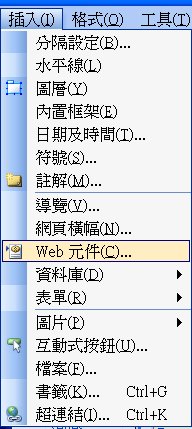
>Insert
>Web Components
>Common Contents
>Common Pages
It is good for common pages such as "News", "Foot Note", or "User Defined Areas.
 微軟機器人修改後的網頁必須重新上傳伺服器
微軟機器人是本機 (local) 程式,所有受到微軟機器人影響--如「共用網頁」修改後,--的網頁,必須全部由本機重新上傳伺服器。
最佳方案:將 *.dwt 重新儲存,按全部「立即更新」,不會漏失任何網頁。
Embedding External Pages 嵌入外部網頁
 Chrome's
Limitation 谷歌瀏覽器的特殊限制
Chrome's
Limitation 谷歌瀏覽器的特殊限制
讀入「外部或共用網頁」時,不以「外部或共用網頁」的頁內樣式設定呈現,而以主網頁的預設呈現。所以,必須在主網頁中另加設定:
<div class="設定">
「共用網頁」
</div>
iframe 內置框架
<iframe> 內置框架功能與共用網頁接近,用以組合網頁各區塊。
唯 html5 的<iframe> 變動巨大的一個標籤,舊功能不相容,當前採用共用網頁為簡易又實用的方法。
共用網頁和內置框架的不同:
共用網頁使用主網頁的CSS,而內置框架使用內置網頁自己的CSS。
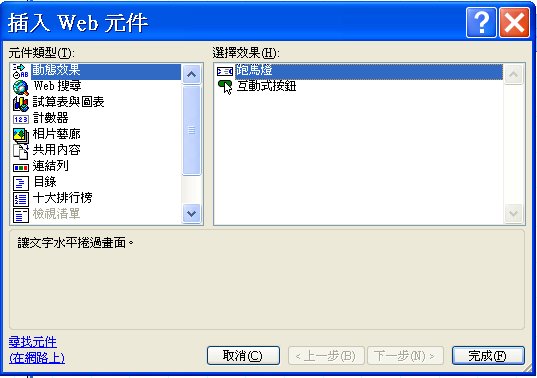
Marquee 跑馬燈
Makes text scroll horizontally across the screen.
 Advanced: Navigation History導覽歷史管理
When the user navigates the user agent history to return to the previous
page, the previous page should not redirect the user back to this page.
The correct Source Code is the following.
<input type="BUTTON" value="Go Back" alt="Go Back" onclick="history.go(-1)">
Supplementary: Using Behaviors 基本Java應用
Warning
The audience must deactivate all anti-script software such as Google, Yahoo, MSN, IE info bar (shield) ...to browse effects that were designed by 'Behavior'.
For important redirection, I suggest to use meta tag instead of Behaviors, however, I put an example down here for your further information.
You
may skip all behaviors and go to the next topic.
Behaviors are scripting options that enable you to quickly add interactivity or increased functionality to text or other elements of your Web page. Use Behaviors to author client-side scripts in languages that comply with the European Computer Manufacturers Associations ECMAScript specification, such as JScript® development software and JavaScript. You dont have to learn these scripting languages to work with Behaviors, as FrontPage 2003 enables you to insert and configure Behaviors without writing a single line of code.
 While
this is not an article on coding, here's an example of what FrontPage 2003 does
behind the scenes when you add a Behavior. The following is the JavaScript for
the Go To URL Behavior:
While
this is not an article on coding, here's an example of what FrontPage 2003 does
behind the scenes when you add a Behavior. The following is the JavaScript for
the Go To URL Behavior:
<script language="JavaScript">
<!--
function FP_goToURL(url) {//v1.0
window.location=url;
}
// -->
</script>
<body onload="FP_goToURL(/*href*/'http://www.mynewsite.com')">
Some scripts for Behaviors are far more elaborate than this one. Every Behavior
is very simple to insert, however, following this simple pattern:
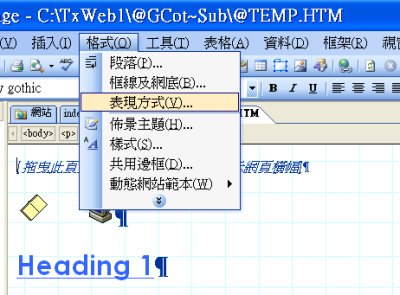
On the Format menu, click Behaviors.
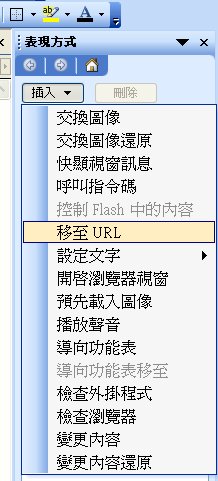
In the Behaviors task pane, click Insert, and then select a Behavior.
There are two ways to redirect a browser to another URL. The first is to use a
meta tag redirect in the header of the HTML. The second is to use JavaScript,
which is how the Go To URL Behavior works.
The primary reason to use a scripted Behavior is flexibility; you can customize
the script for specific needs. You can also bind multiple Behaviors to a single
event.
To redirect a user to a new site:
 In
the Behaviors
In
the Behaviors
 task
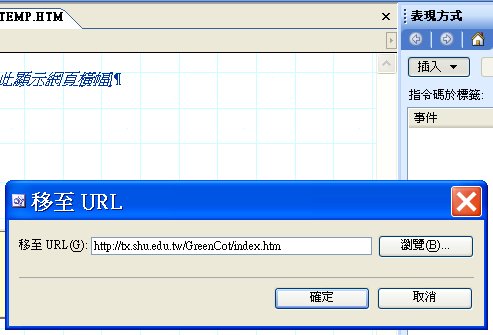
pane, click the Insert button and choose Go To URL.
task
pane, click the Insert button and choose Go To URL.
In the Go To URL dialog box, either type the URL in the Go To URL box, or use
the Browse button to locate the URL.
Redirecting users to a new window 導向新視窗
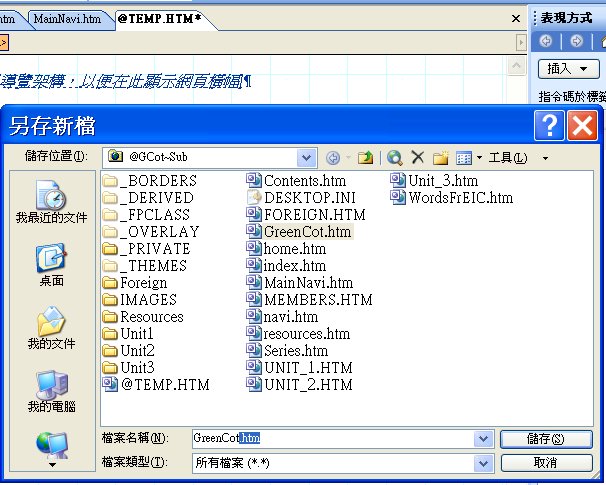
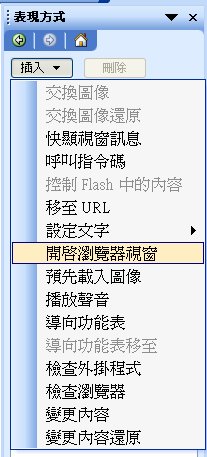
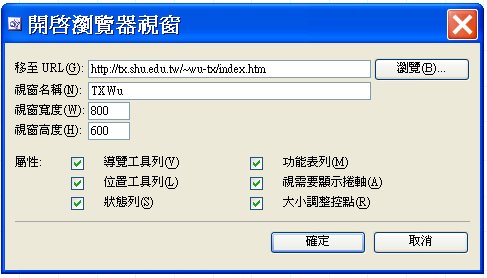
If you want to open a new window for your audience and have some fun, you may do the following.
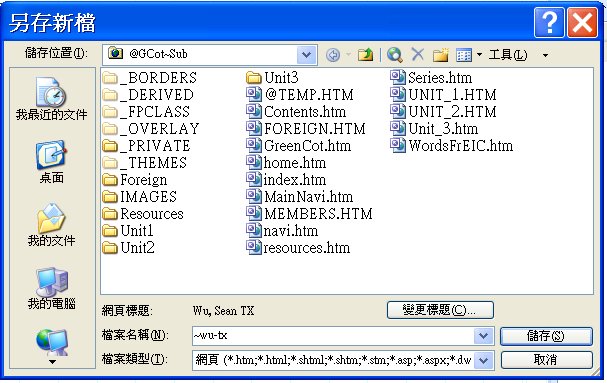
Messages in status bar狀態列訊息
 Point to the
above title and the following graphic to see what happens in the status bar.
Point to the
above title and the following graphic to see what happens in the status bar.
It is quite common for people to use the status bar to display messages. For
example, when the user's cursor points to a name, there will be a response on
the status bar. FrontPage 2003 has a Behavior for changing text in the status
bar.
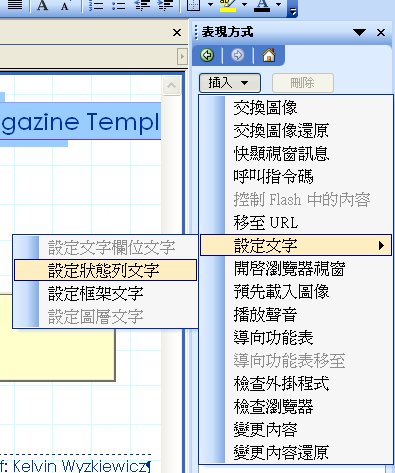
To display text in the status bar:
Mark an action area such as an author's name.
>Format
>Behavior, the Behavior task pane shows.
In the Behaviors task pane, click Insert.
Click Set Text, and then click Set Text of Status Bar.
In the Message box, type your message, and then click OK.
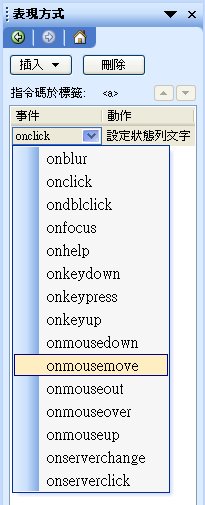
The default event is 'onmouseover' that triggers the action when mouse move over the objects of the page.
Clean the messages
Mask the same action area.
Insert another event of 'onmouseout', again.
Clean the Message box.
Make sure there are 2 existing events.
Events of mouse
By definitions:
onmousemove : Move the mouse over the document.
onmouseover : Move the mouse pointer into an object.
However, for some versions of browsers (including IE), the two behaviors may act the same, or, even not work.


