Group Control Documents of DTP
Create Group Control Template
 數位出版設計:自動化篇-知識美學/數位美學之建構方法
群體主控文件可以整合來自不同範本的文件,是經常性、大量性出版,最佳的應用技術。
建立主控文件範本
Download
exercise materials: Demo
template, Doc1,
Doc2
Create a new file from previous templates.
Modify the styles.
For example:
If the main color system of the original template is "Blue-Yellow", change it into "Purple-Green".
Make it a blank and plain page with one column only.
 However,
you have to keep the Header and Footer for now and remove them later.
However,
you have to keep the Header and Footer for now and remove them later.
Render it to a Control Document .dot.
Compose Cover Page
編輯封面
Create a new file from Control Document .dot.
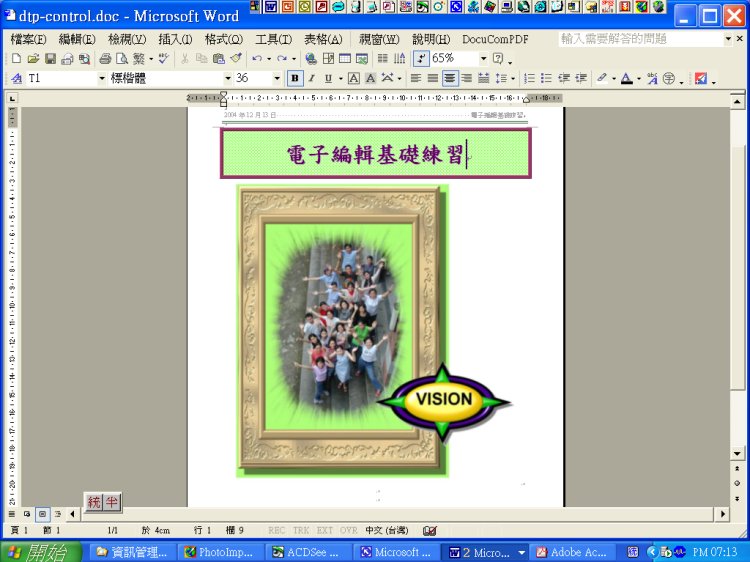
Compose the cover.
You may use 'Text Box' to set position, if it is necessary.
真正的封面不會用 Word 標題,而會特別設計。
但我們當成練習,來觀察主控文件如何控制各階層的標題。
Insert Sub-documents
加入子文件
 Word
2007
Word
2007
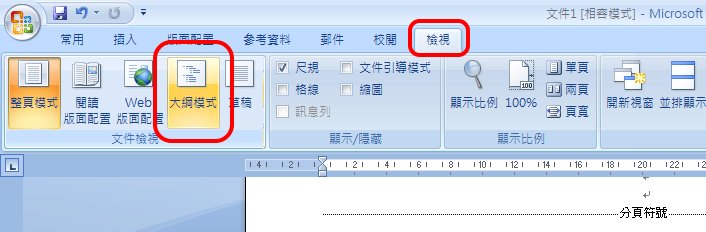
>View
>Outline Mode
>Display documents
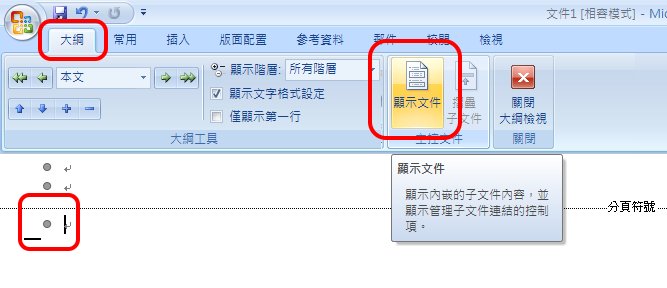
>Insert subdocuments
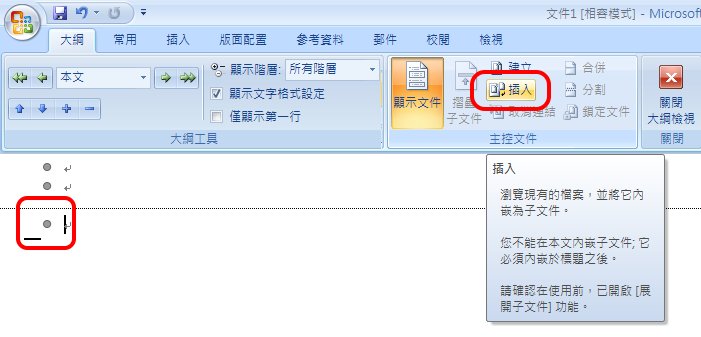
Use Control Document's styles.
Do not rename the styles of subdocuments.
Word
2003
>View >Outline Mode
Click 'Insert sub-document' icon and locate the targeted file.
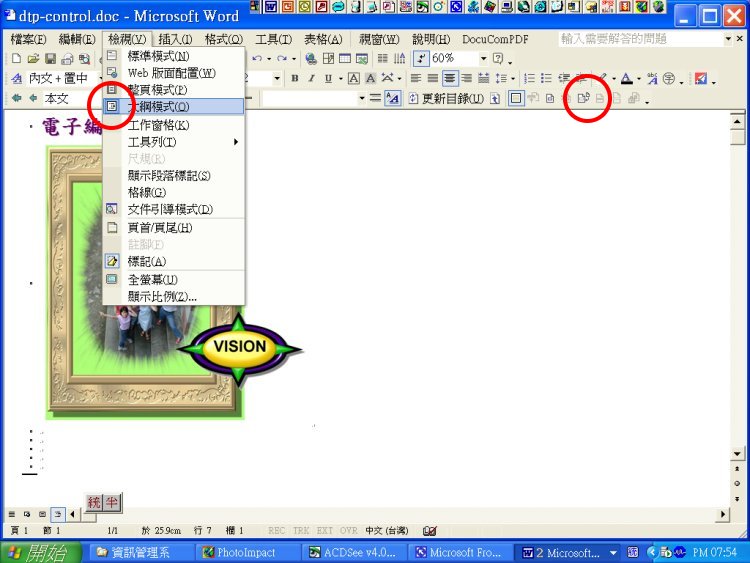
確認使用主控範本
Confirm the use of control template.
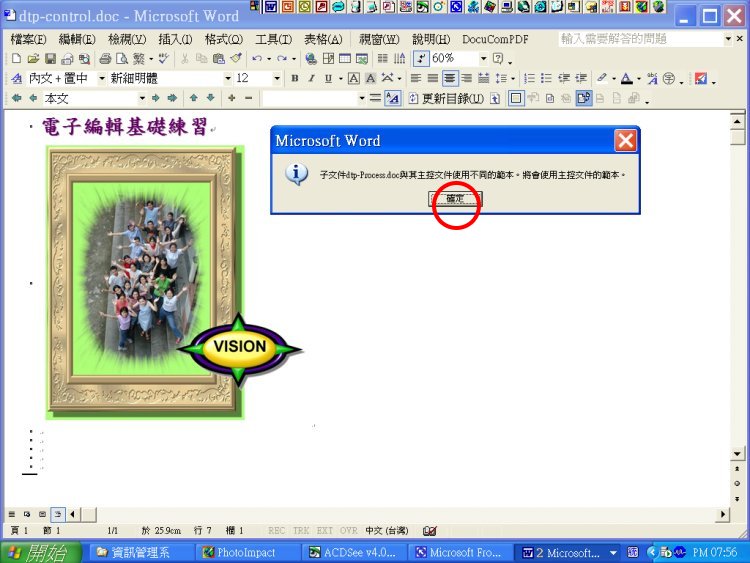
Do not rename style names so as to simplify the style combo list.
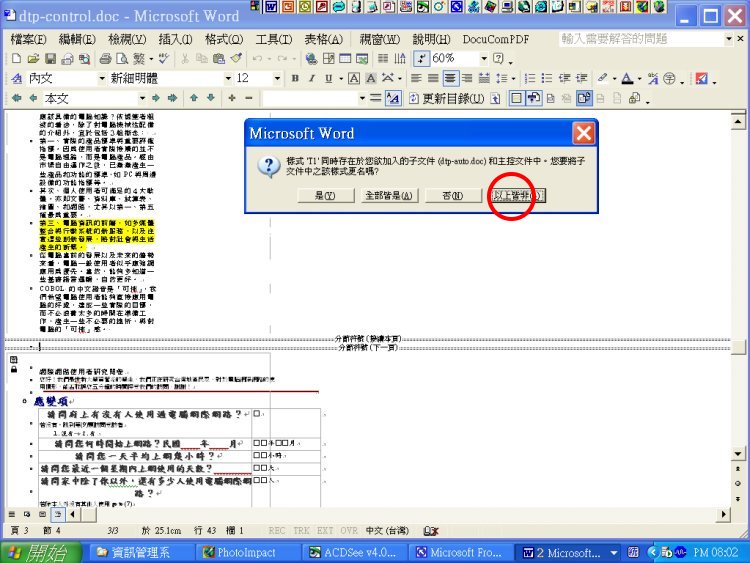
Choose 'Yes' to use control header/footer, if the dialogue box appears.
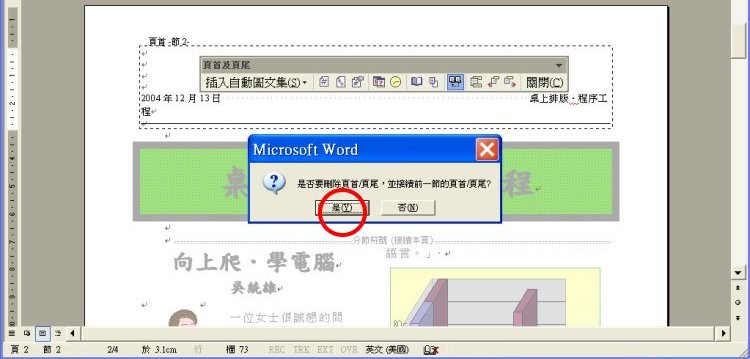
Remove Header and Footer of Cover Page
先解除連結,再移除封面的頁首與頁尾
Word 2007
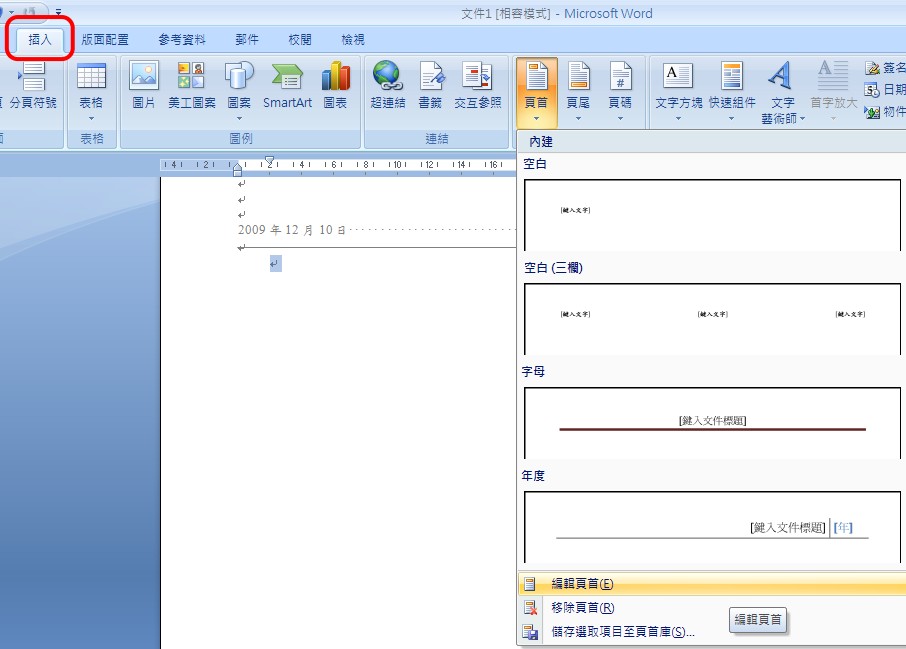
Go to the second page (first subdocument)
>Insert
>Edit Header
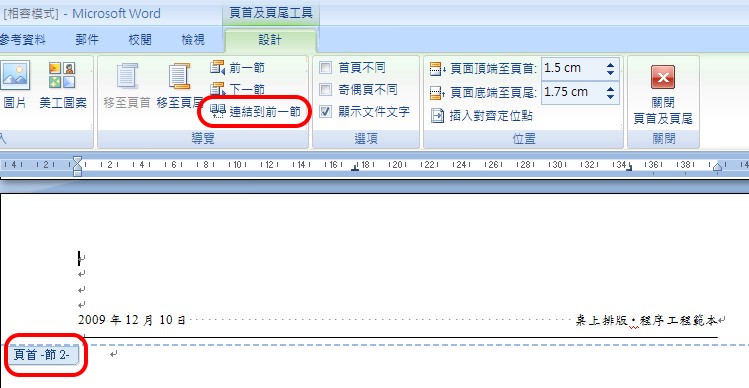
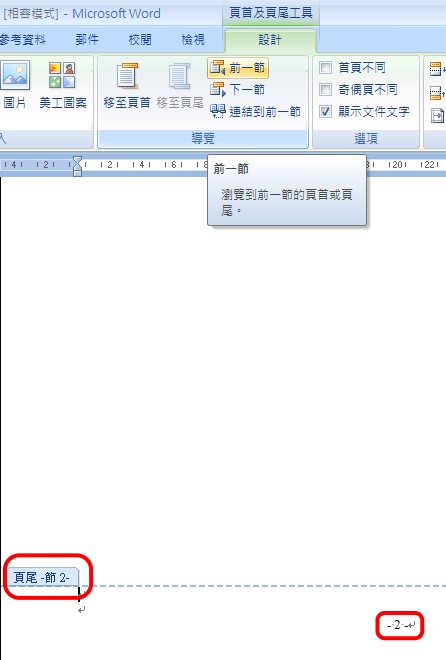
>Unlink to the previous section (default is highlighted and linked to the previous section).
Do the same thing for Footer
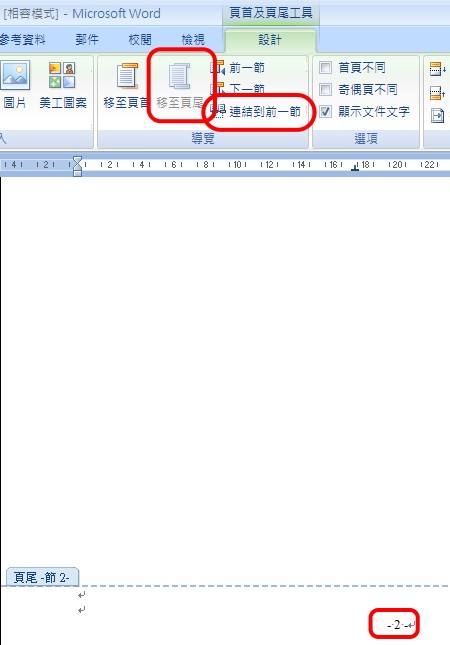
>Go to previous section that is the Cover Page
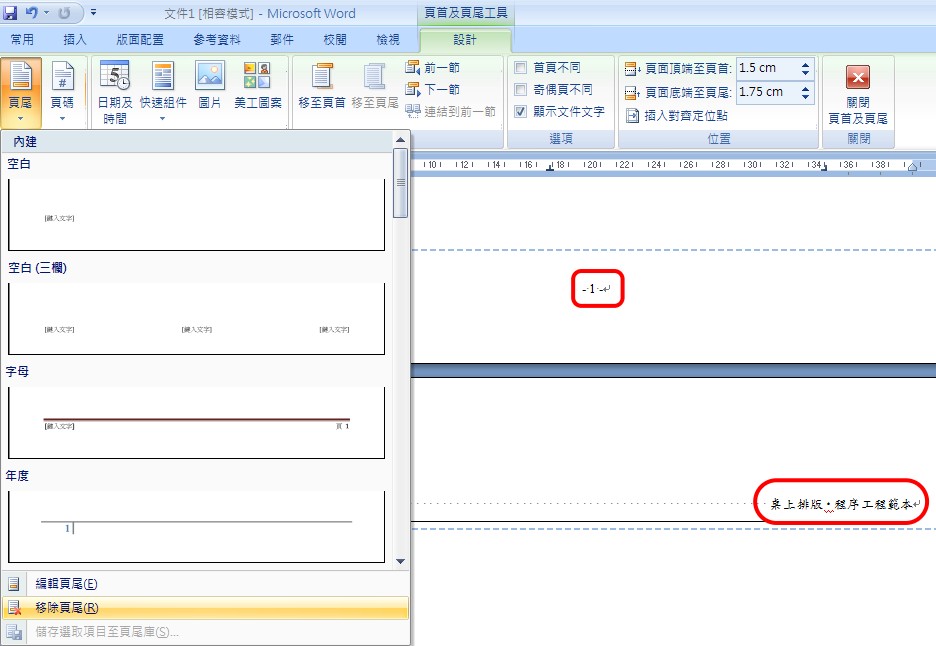
>Insert
>Footer
>Remove the Footer of Cover Page
Do the same thing for Header
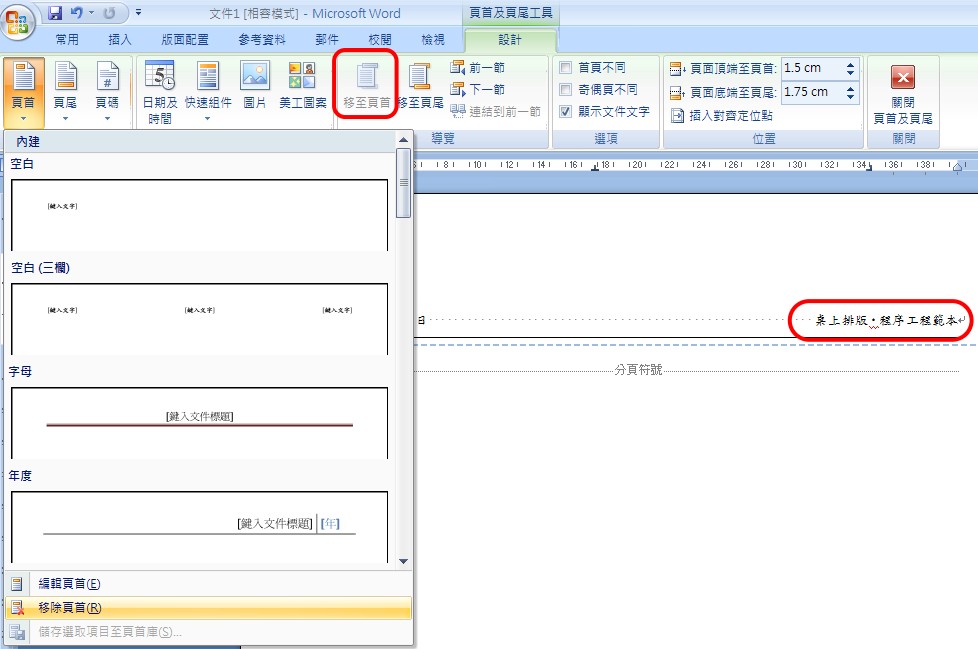
Render it to a Control Document .dot.
Word 2003
Insert a new page and go to the second page.
>View >Header/ Footer
Turn off the 'Link to the previous page'.
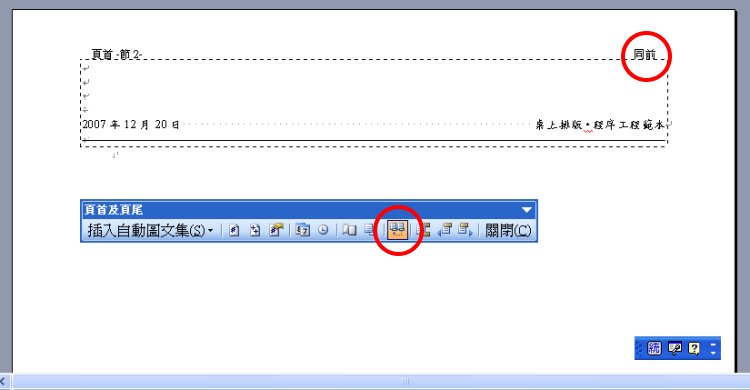
Click 'Switch header and footer' and turn off link.
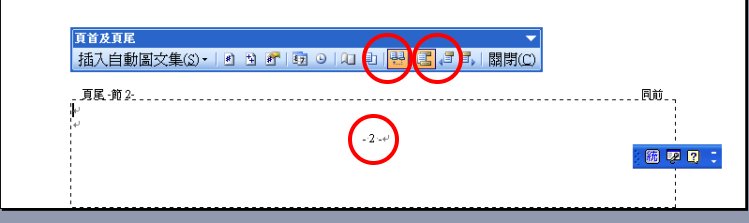
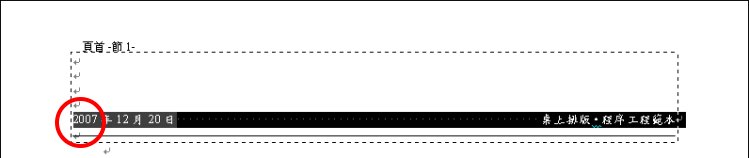
Go back to the the cover (first page) and delete header/ footer.
Auto Contents
加入自動目錄
真正的雜誌不會把目錄放在封面,而會單獨設計1頁,但我們是當成習作練習。實作如以下自動化目錄專題講義。
自動化目錄專題講義
Expend Subdocuments
展開子文件
When you reopen the control document that all subdocuments will be displayed as links.

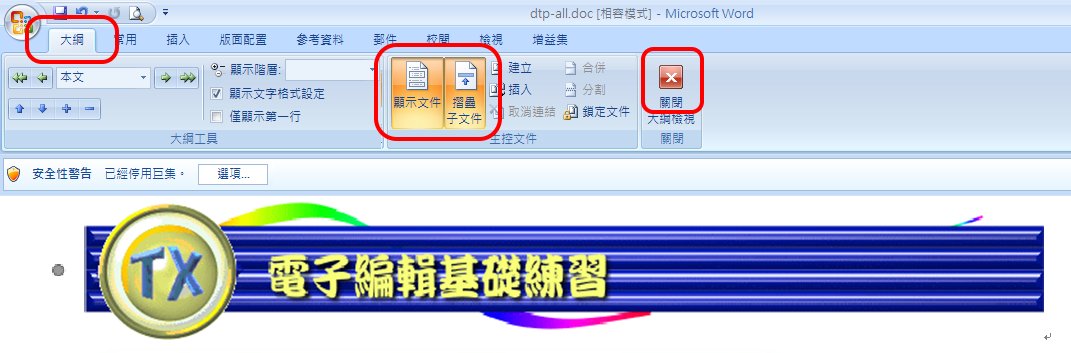
You have to expand subdocuments under Outline Mode.
Click "Close Outline Mode" and display all contents.