

Login Problem Solving Info, OpenID, Proxy, etc.
解決登入網站的各種疑難雜症,排除登入障礙,如OpenID 開放帳戶-即以單一帳號登入各網站時-不能使用,Proxy造成的阻擋等。
OpenID Did not appear in IE
IE 無法使用開放帳戶 OpenID
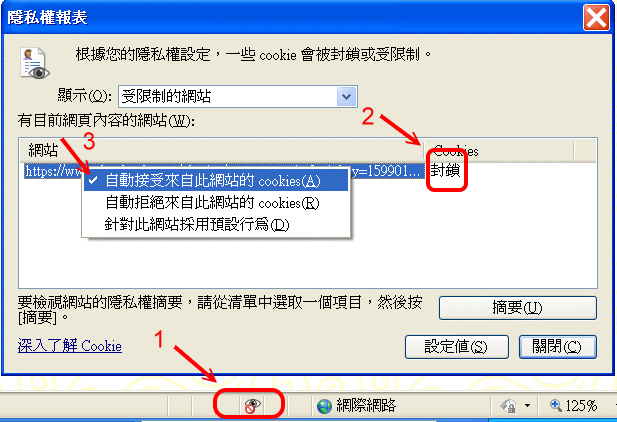
症狀:按了視窗後,出現一個空視窗後消失,繼續按,什麼也沒發生。
1. 在底部狀態列,出現「眼睛+禁止號誌」的「隱私權報告」圖示。
2. 左點圖示,出現對話框,與封鎖Cookie的網址-即驗證網站。
3. 在網址上「右點」,將原來「拒絕」改點為「接受」。
Do not use Proxy
會封鎖Windows Server的整合驗證
Tools > Internet > Links > LAN > Proxy
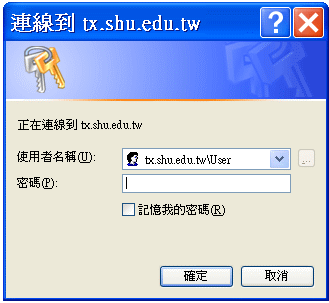
Display Login dialogue box
<F5>: refresh, or
<ctrl> + <F5>: refresh and skip cache
If the problem remains
Report to the webmaster to reset the Server Extension and restart the IIS.
>IIS>Web>Active Root Site
Right Click
>All Tasks>Reset Server Extension


