

Sonar 設定
Why Sonar?
A choice of value ratio (Rating/ Price).
See: http://www.digitalmusicdoctor.com/shootout/shootout_summary.htm
Set up MIDI devices
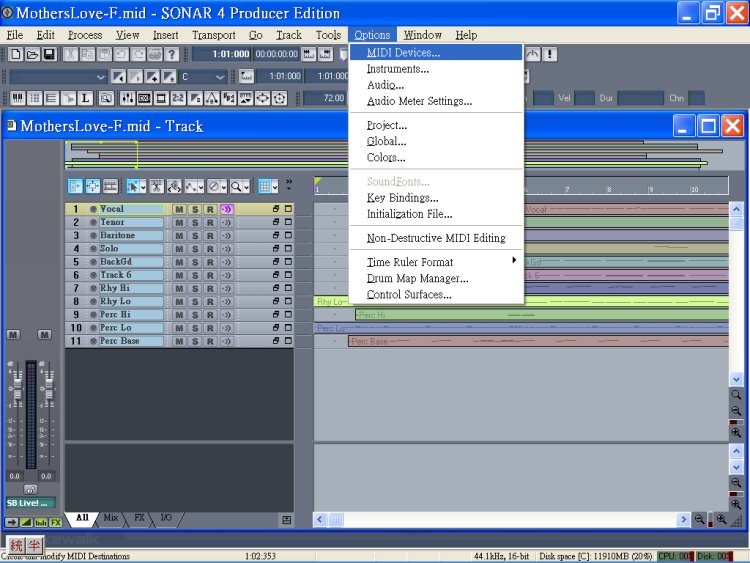
Midi signals need to output to a synth to produce sounds.
There are two types of synths:
Stand-alone: such as Yamaha, Roland Canvas, MS GS...,that work on the OS of computers.
Plug-in: such as TTS-1, and other VSTi, DXi..., that require a host application such as a sequencer to run it.
 Device with External Audio Card
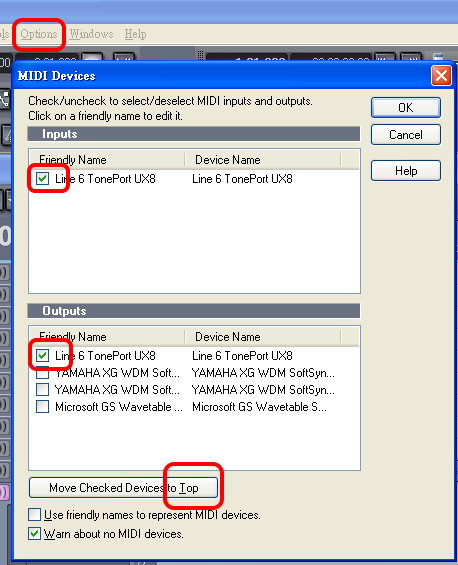
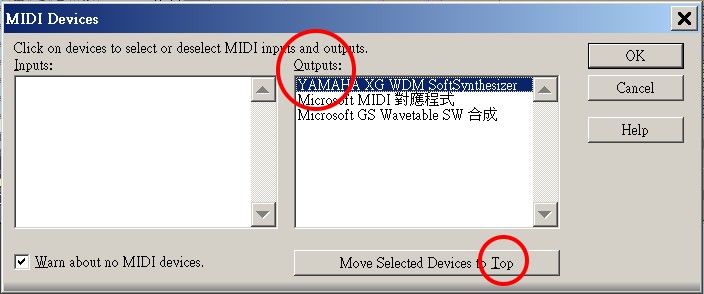
Device without External Audio Card
>Options >Midi Devices
In this case, you need to output to a stand-alone synth.
Yamaha XG is a stand-alone SoftSynth, not a plug-in synth.
Instruments
>Options >Instruments
I leave it default, supposed it is Yamaha XG

Audio Options
>Options >Audio...
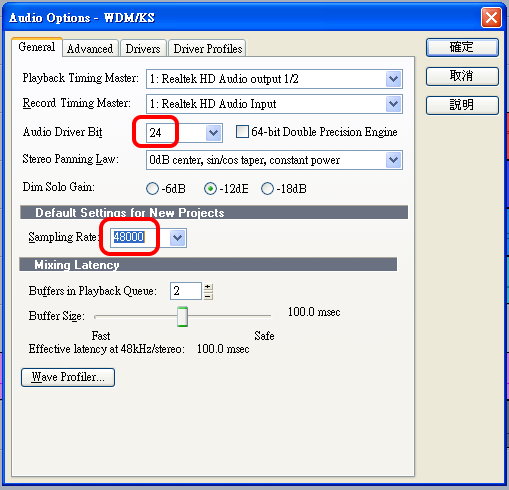
General
SoundMAX is my Audio card
For CD quality and web use
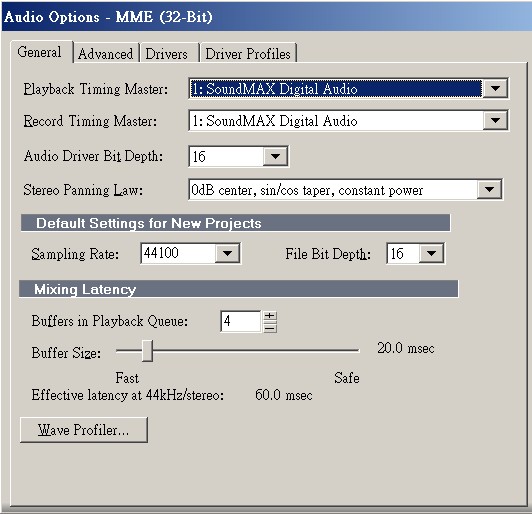
For Professional postproduction use ONLY
However, it is not supported by most of PC sound cards, this setting may cause problems.
 Warning: Sampling Rate
If the audio engine stops running, set the sampling rate back to "44100"- It is very tricky!
The 'System Wave" files have to be 44.1k rate, however, it is OK to "export" 48k rate wave files.
Check '64-bit' for high performance PC.
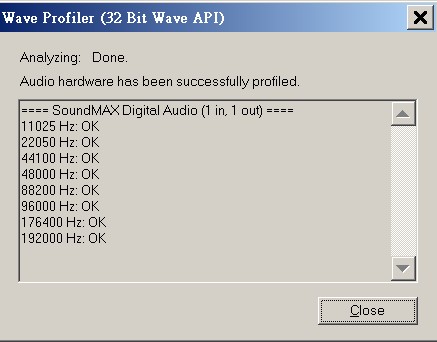
Wave Profiler
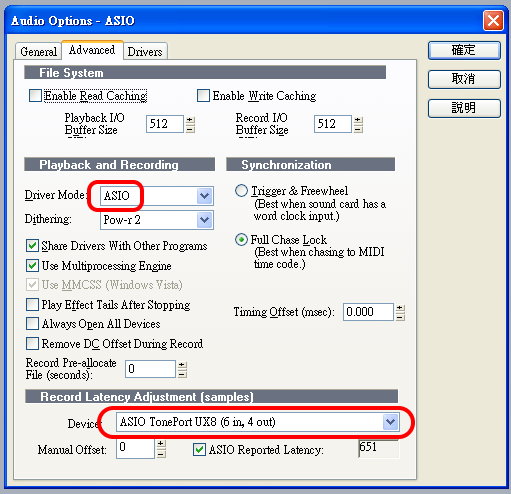
 Advanced
Higher PC
performance and with external audio interface
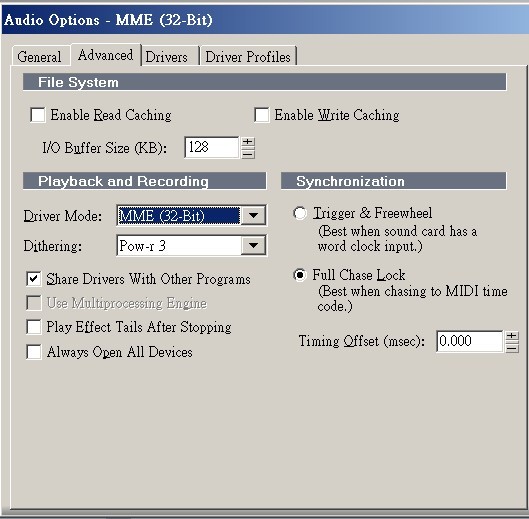
Lower PC
performance
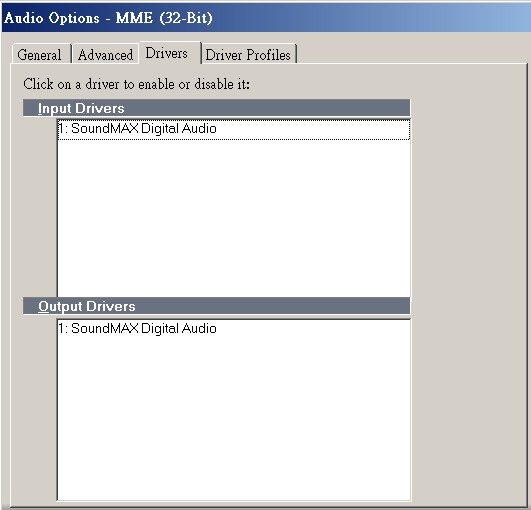
Drivers
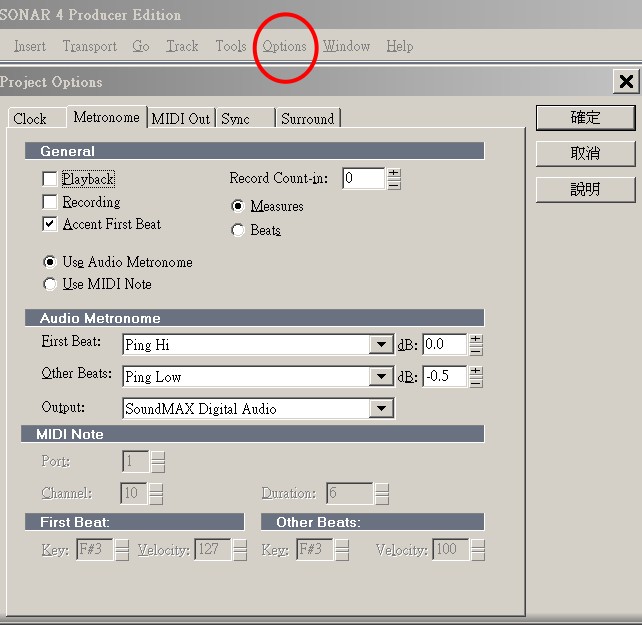
Project Options
Metronome
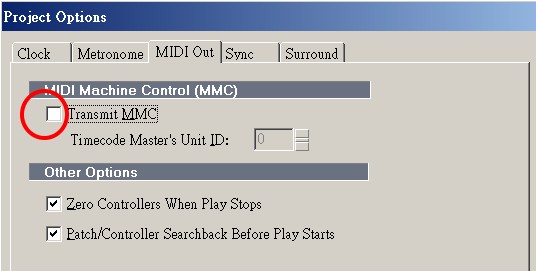
Midi Output
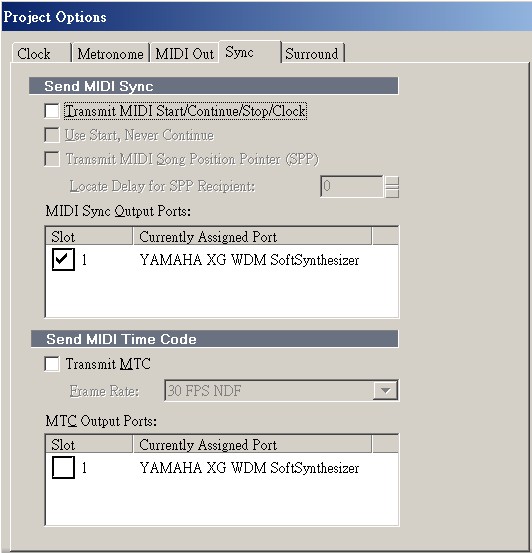
Sync
User Interface
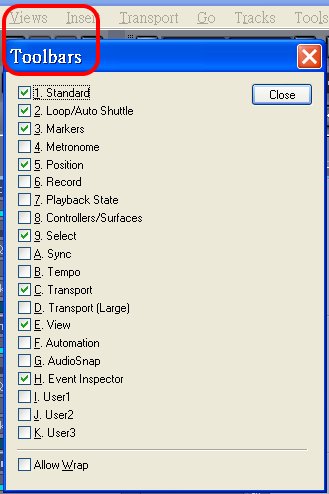
Arrangement of toolbars
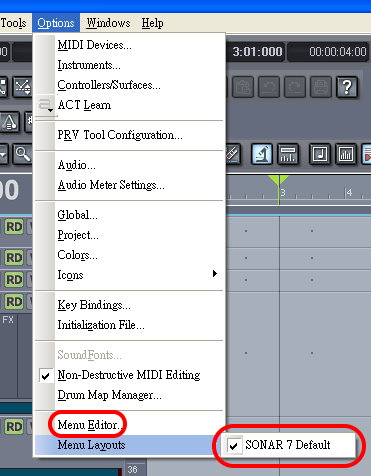
Command Menu
>Option
Default is the best choice. If the menu is changed by system, come back here to redo.
However, you may use 'Menu Editor' to personalize your own menu.
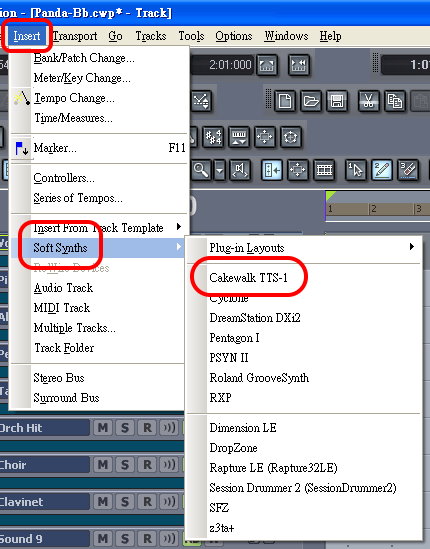
Using Soft Synths
Insert Synths
It will automatically produce a synth track at the bottom.
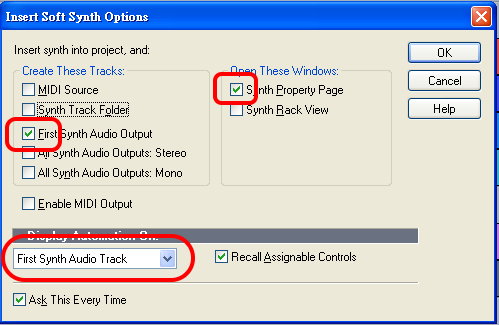
Options
First output is a simple way. All midi tracks go to one synth to output audio.
You may use folder and all (4) outputs.
Synths Page (View)
>System >Option
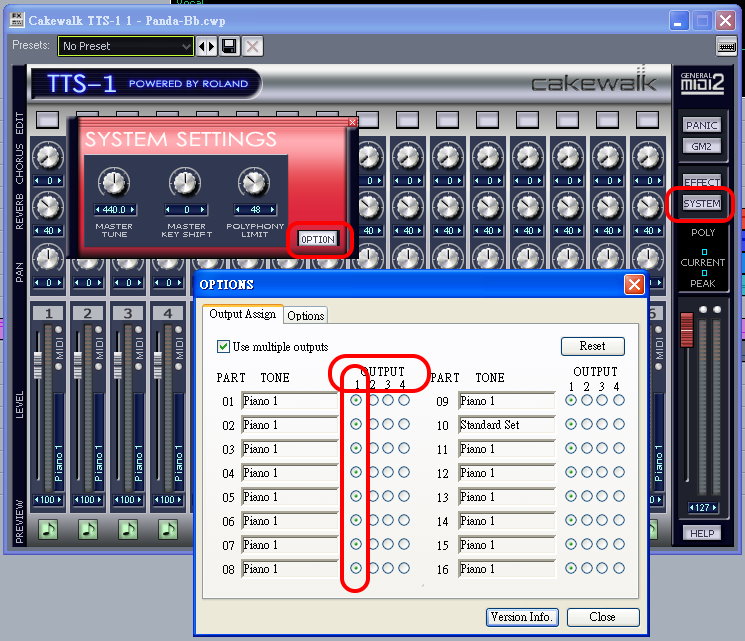
Set Up Output
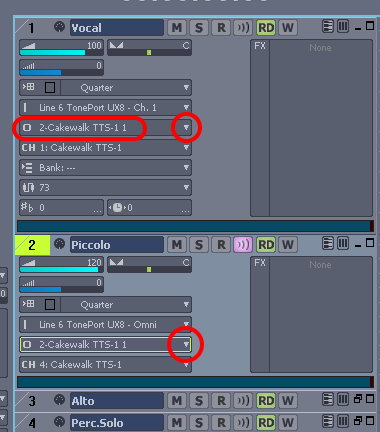
Choose synths at the 'Output' at first track
Quick procedure for all tracks:
Cursor stays at 'Output'
- + <Down Arrow> (goes to the next, automatically)
- + <Enter> (open manu)
- choose synth
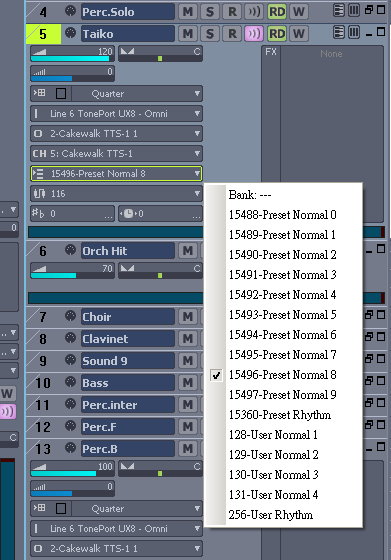
Bank/ Patch
Click 'Bank' or use 'Track Properties' to set up bank, otherwise, it will be default 'none'.
You may use:
>Insert > Bank/Patch Change
to change to another bank in the middle of a track.
It is the same for patch.
Vst/Dxi: Experience and Comments
Session Drummer
Much real. However, it is not so solid/firm after mastering.
Series of "Room" produce more echo, while "Dry" in on the contrarary.
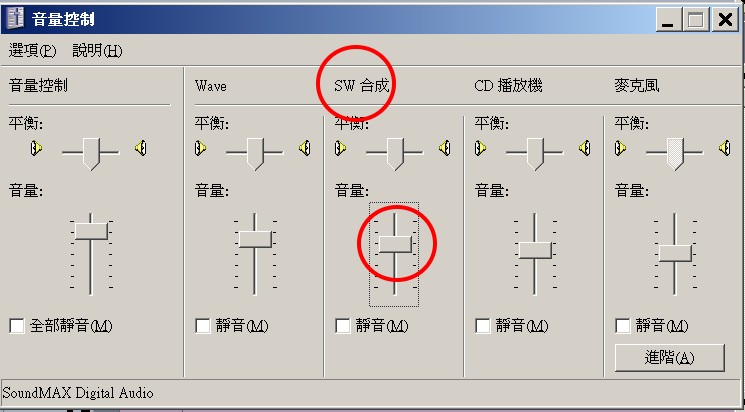
Windows Volume Control
A very tricky setting.
Playback
The volume of playback must be under 50 %.

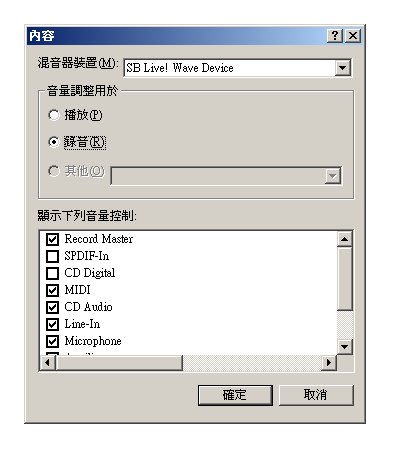
Recording
I use Overture (a score software) to compose midi files.
Then I import midi files into Sonar to mix it and output it to Yamaha XG and
want Sonar converts the midi tracks to audio track.
So, I use SoundMAX to record the output from the Yamaha.
The volume of playback must be under 25 %.

If no playback
The OS may close the 'SW Synth' automatically.
Advanced Resources
http://sonar.sonarama.com/index.php?title=SONAR_Videos


