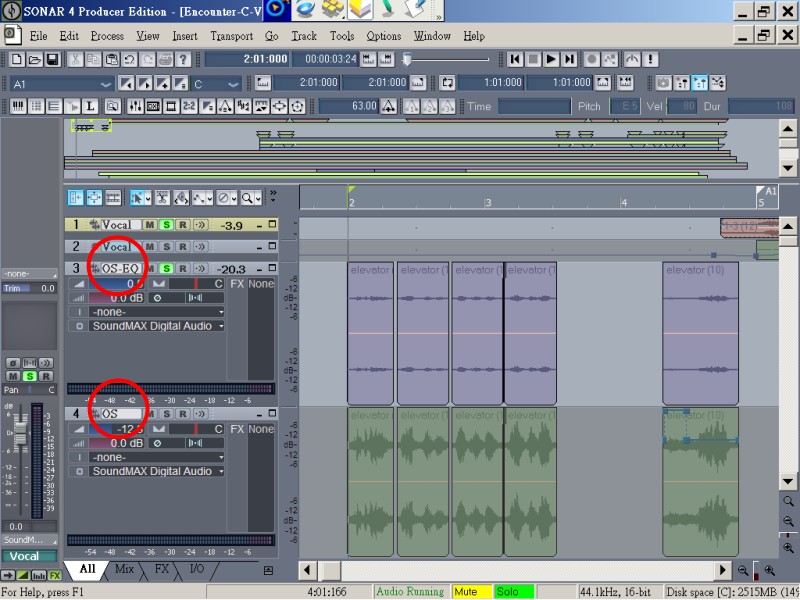
等化與雜訊處理
等化與雜訊處理
Equalization lets you boost or decrease the volume of sounds at different
frequencies. For example, you can boost the bass, cut high-frequency hiss,
or brighten mid-range vocals.
Parametric equalization is useful in many different circumstances. For
example, you can use it to boost low frequencies or high frequencies, to
attenuate
60-cycle hum or high-frequency noise, or to boost a particular
instrument sound for use in other SONAR commands.
Boosting the audio signal too much may result in clipping or distortion. If
this occurs, you may need to undo the command, then decrease the volume one
or more times with the 3dB Quieter command, or insert a volume envelope,
before equalization.
Cakewalk FxEq
Select the audio data to be affected.
Choose Audio Effects-Cakewalk-FxEq from the Process menu.
Or from the popup menu to open the Cakewalk FxEq dialog box.
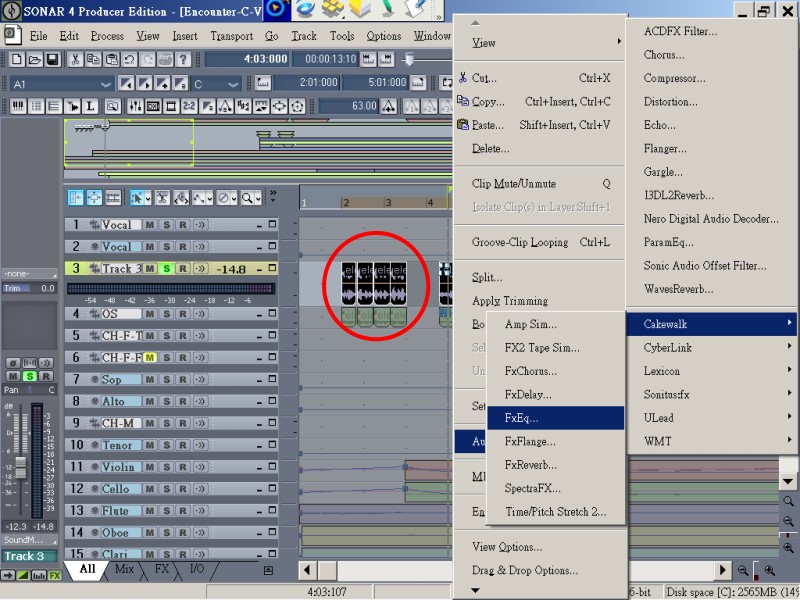
Click high-frequency bands (such as number 1 to 8) to decrease db.
Set bandwidth (i.e. Q) to a proper (such the longest) range to smooth the change.
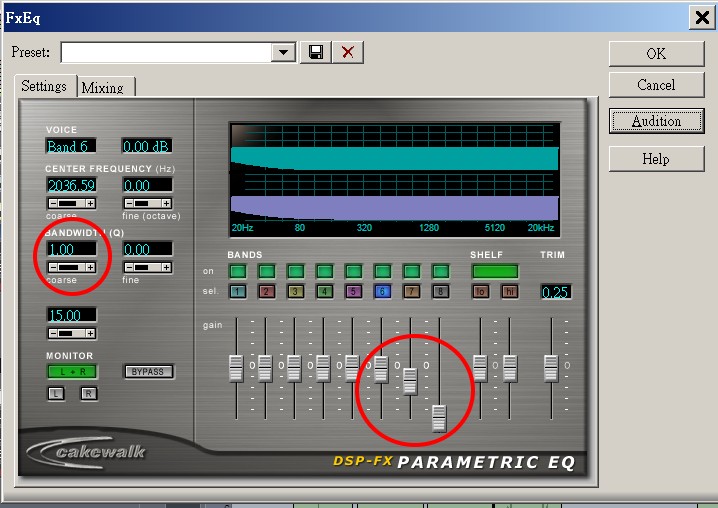
Click specific band number to set detailed parameters as you need.
Click Audition to hear a preview of the first three seconds of the selected
audio with the equalization applied.
Click OK when the settings are the way you want.
SONAR applies the specified equalization to the selected audio